
Activity Centre
The Activity Centre is your organization’s shared activity feed, a real-time view of what’s happening across Alano.
On this page
It works like an internal social feed inside your CRM, keeping everyone aligned without extra messages or meetings.
Where to find the Activity Centre
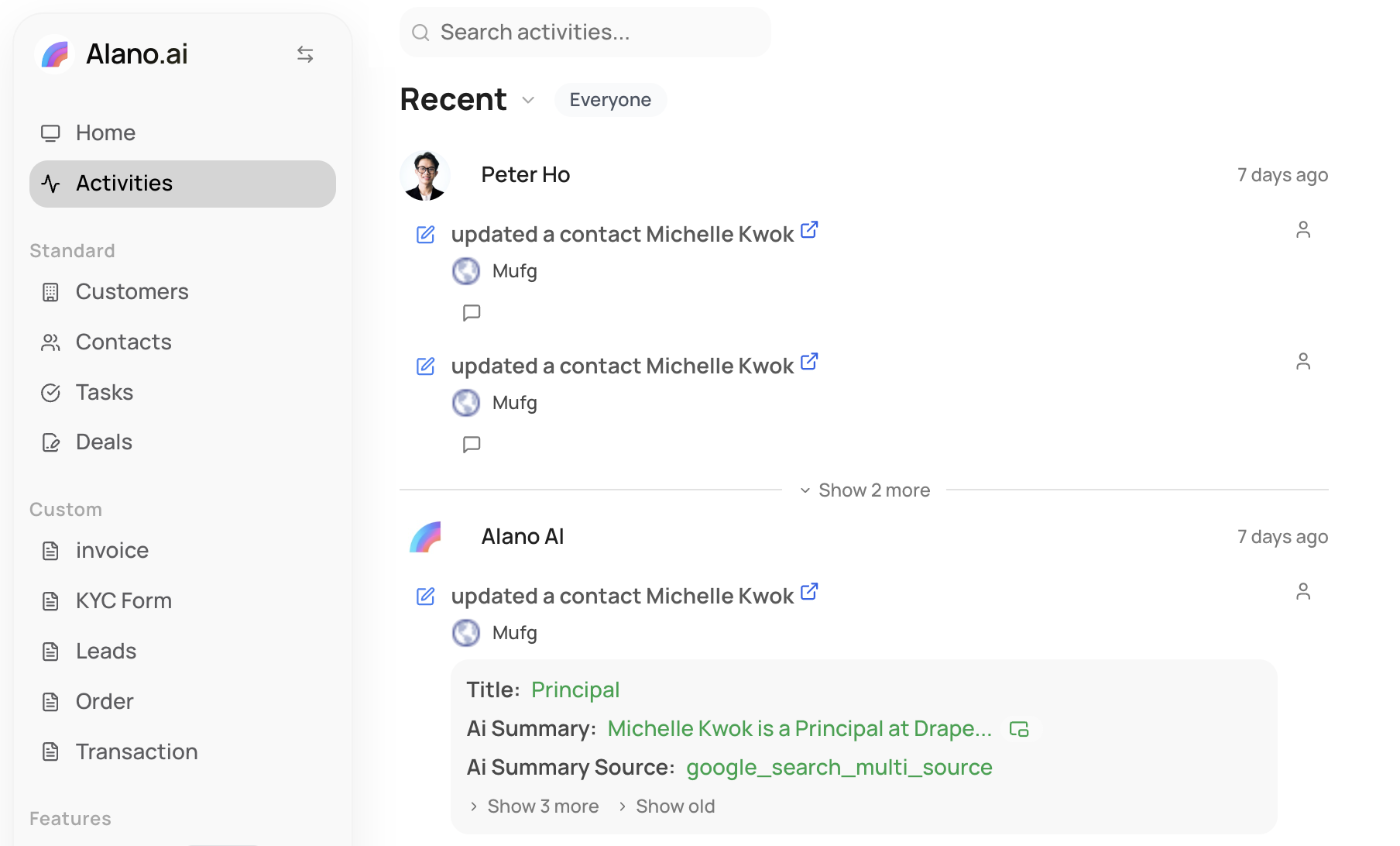
You can access the Activity Centre from the left sidebar navigation.
-
Look at the left sidebar
-
Click Activities
You’ll be taken to the Activity Centre, showing organization-wide updates.
What you’ll see
The Activity Centre displays actions performed by users in your organization, including:
-
Contact updates
-
Notes and comments
-
Record changes
-
AI-generated summaries
-
System and product updates
Each activity clearly shows:
-
Who performed the action
-
What was updated
-
When it happened
This gives you full visibility into team activity at a glance.
Interact with activities
The Activity Centre is designed for collaboration, not just monitoring.
You can:
-
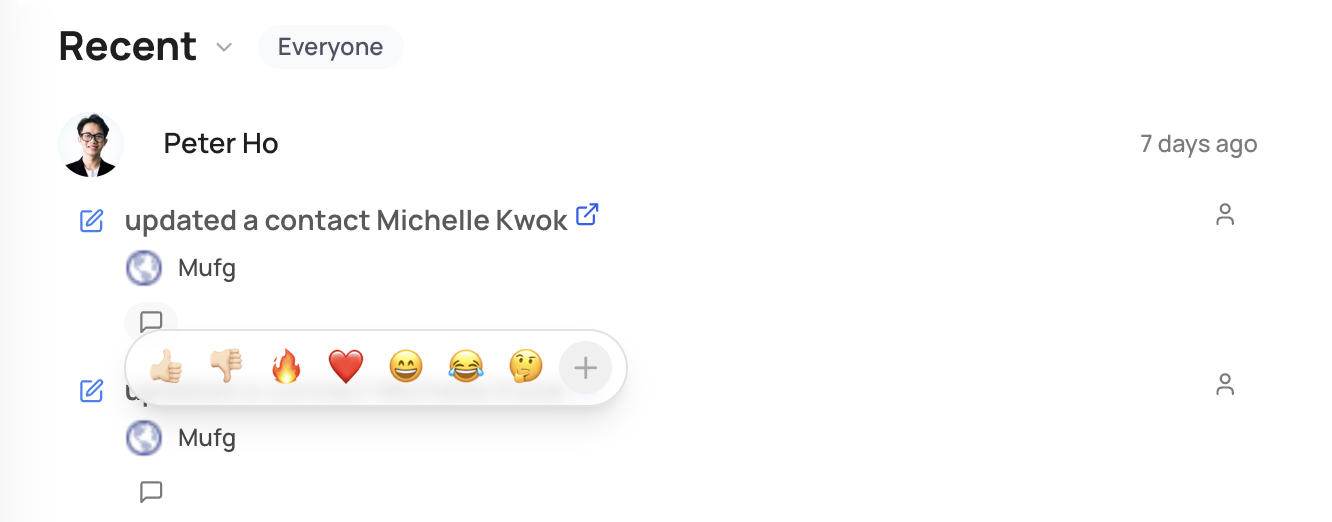
React to activities using emojis (👍 ❤️ 🔥 😂 🤔, etc.)
-
Leave comments to add context or feedback
-
Acknowledge updates without interrupting workflows
This keeps communication lightweight and async.
Why use the Activity Centre
The Activity Centre helps your team:
-
Stay informed without manual updates
-
Understand context behind changes
-
Collaborate naturally inside Alano
-
Reduce back-and-forth messages
It’s especially useful for fast-moving or distributed teams.