Comment In Notes
Collaborate directly inside shared notes, without leaving context.
Comments in Notes let your team discuss ideas, give feedback, and stay aligned right where the content lives.
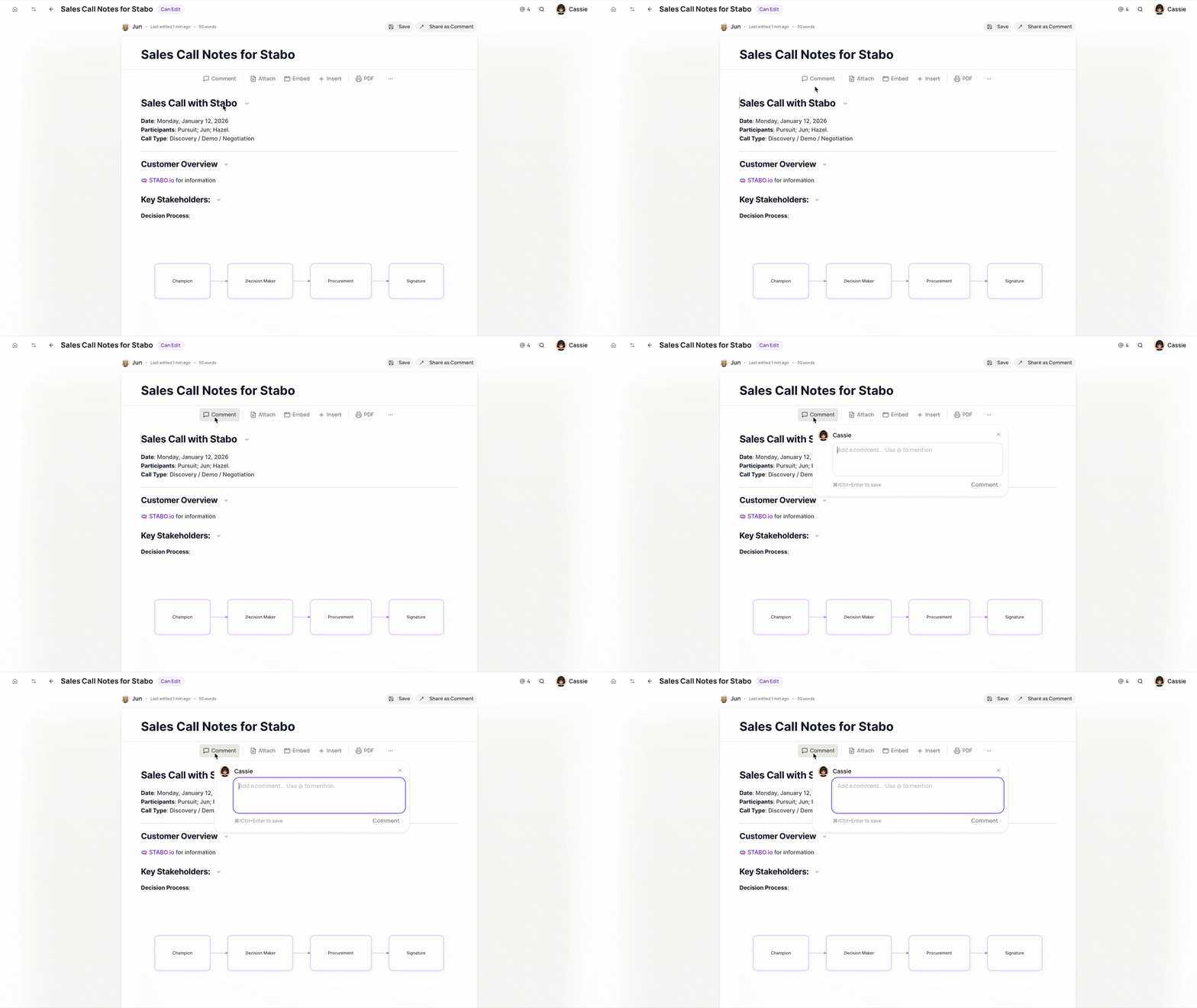
📝 Leave Comments on Shared Notes
Give feedback without editing the note itself.
How to use
-
Open a note under Shared Notes
-
Click Leave Comment on the top menu bar
-
Write your comment and send
Perfect for reviews, suggestions, or quick questions.
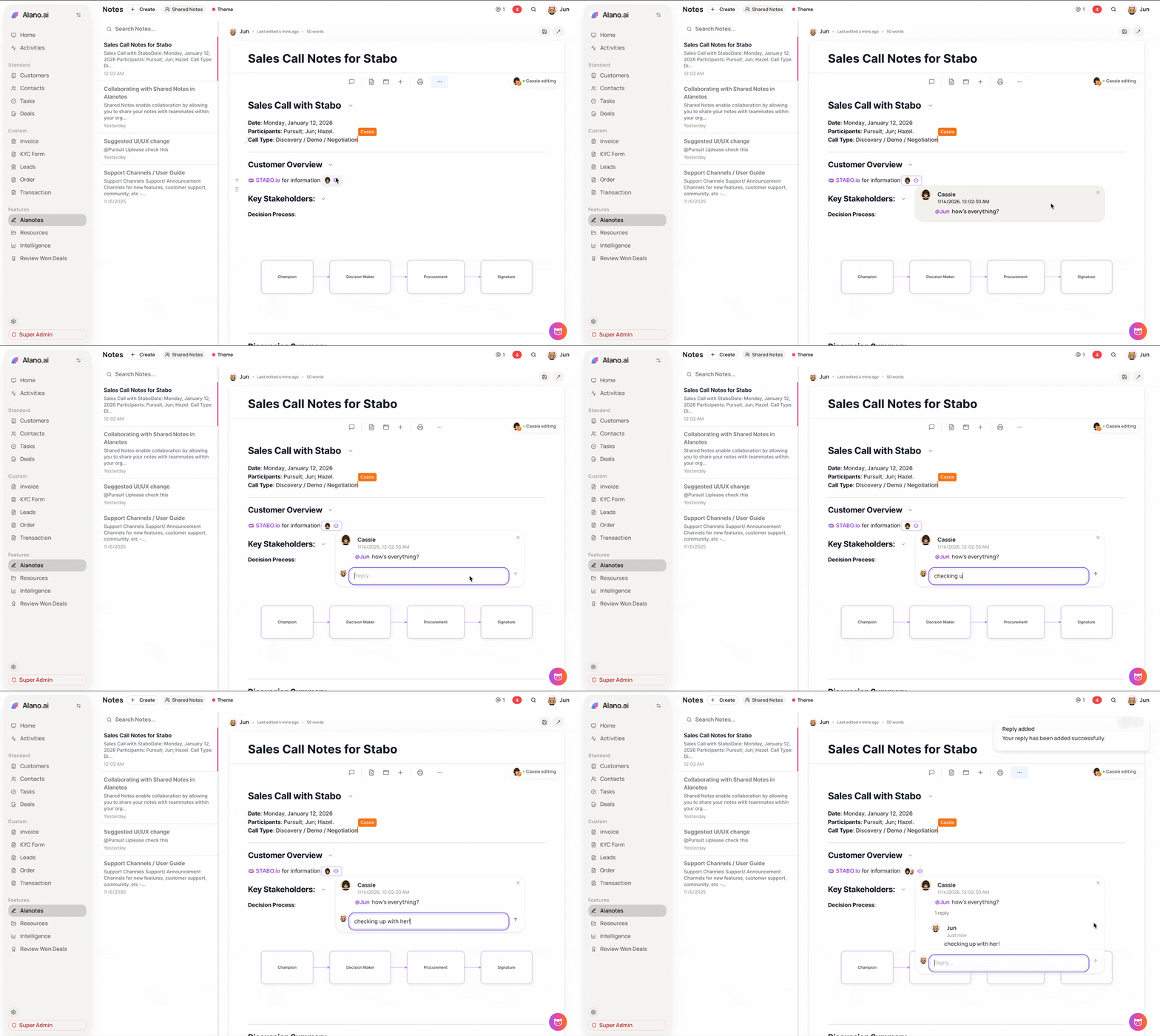
🧵 Comment Threads
Keep conversations organized and easy to follow.
How to use
-
Select an existing comment
-
Reply directly to it
-
Continue the discussion in a threaded view
This keeps related feedback grouped together instead of scattered.
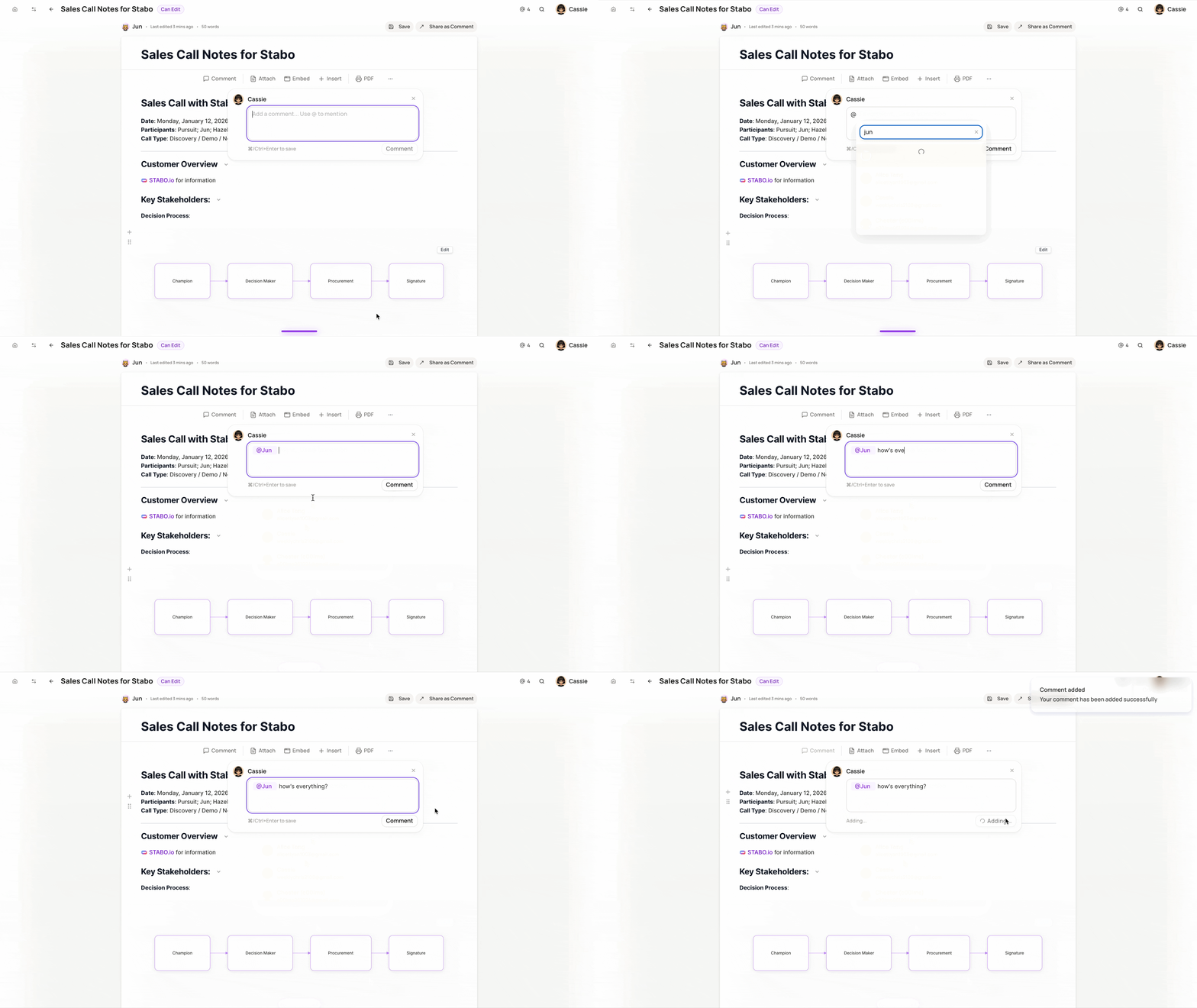
👋 Tag Teammates in Comments
Bring the right people into the conversation.
How to use
-
While writing a comment, type @
-
Select a teammate from the list
-
Post your comment
Tagging someone helps make sure important feedback doesn’t get missed.