
Shared Notes
Shared Notes let you collaborate by sharing your notes with teammates inside your organization.
On this page
How it works
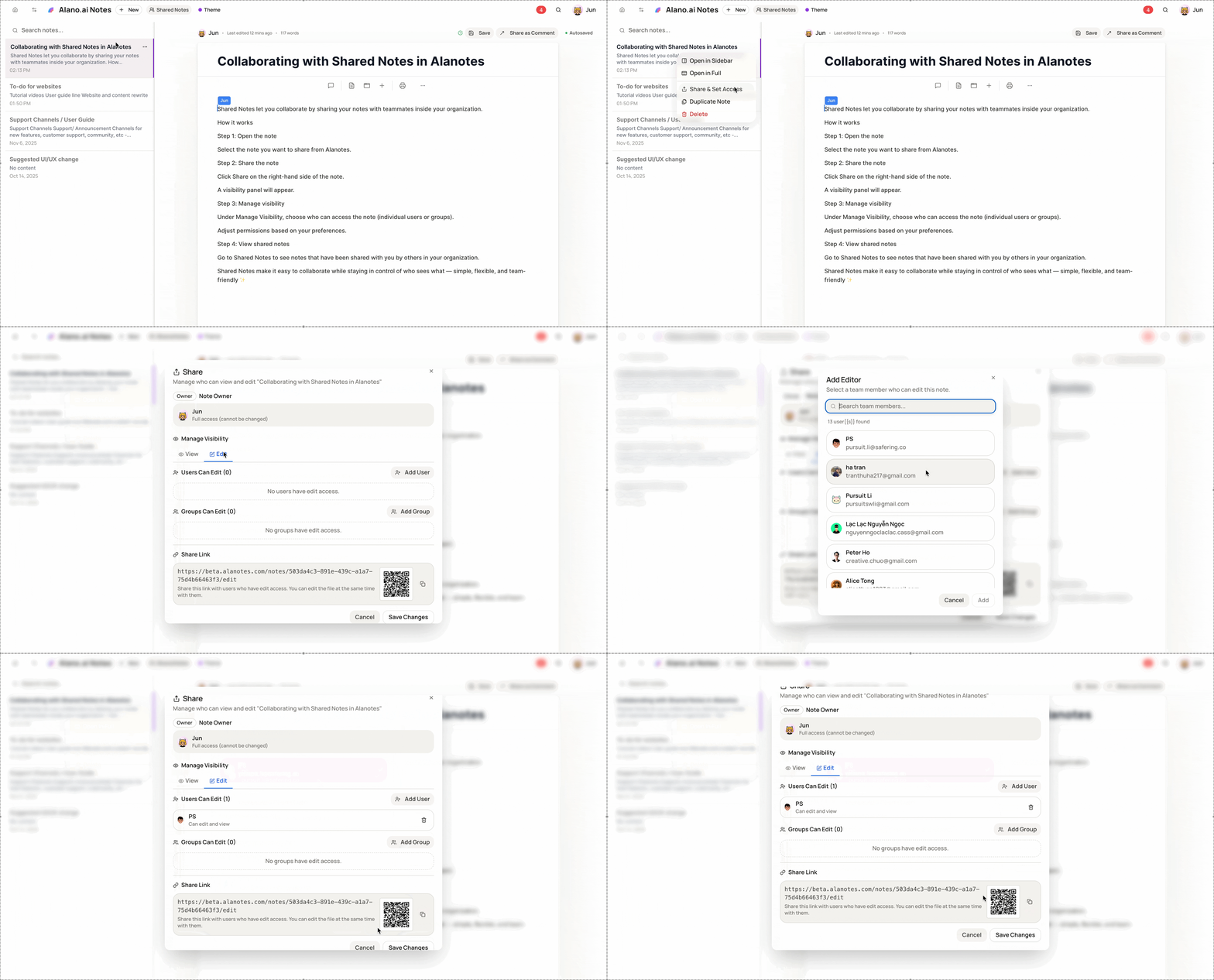
Step 1: Open the note
- Select the note you want to share from Alanotes.
Step 2: Share the note
-
Click Share on the right-hand side of the note.
-
A visibility panel will appear.
Step 3: Manage visibility
-
Under Manage Visibility, choose who can access the note (individual users or groups).
-
Adjust permissions based on your preferences.
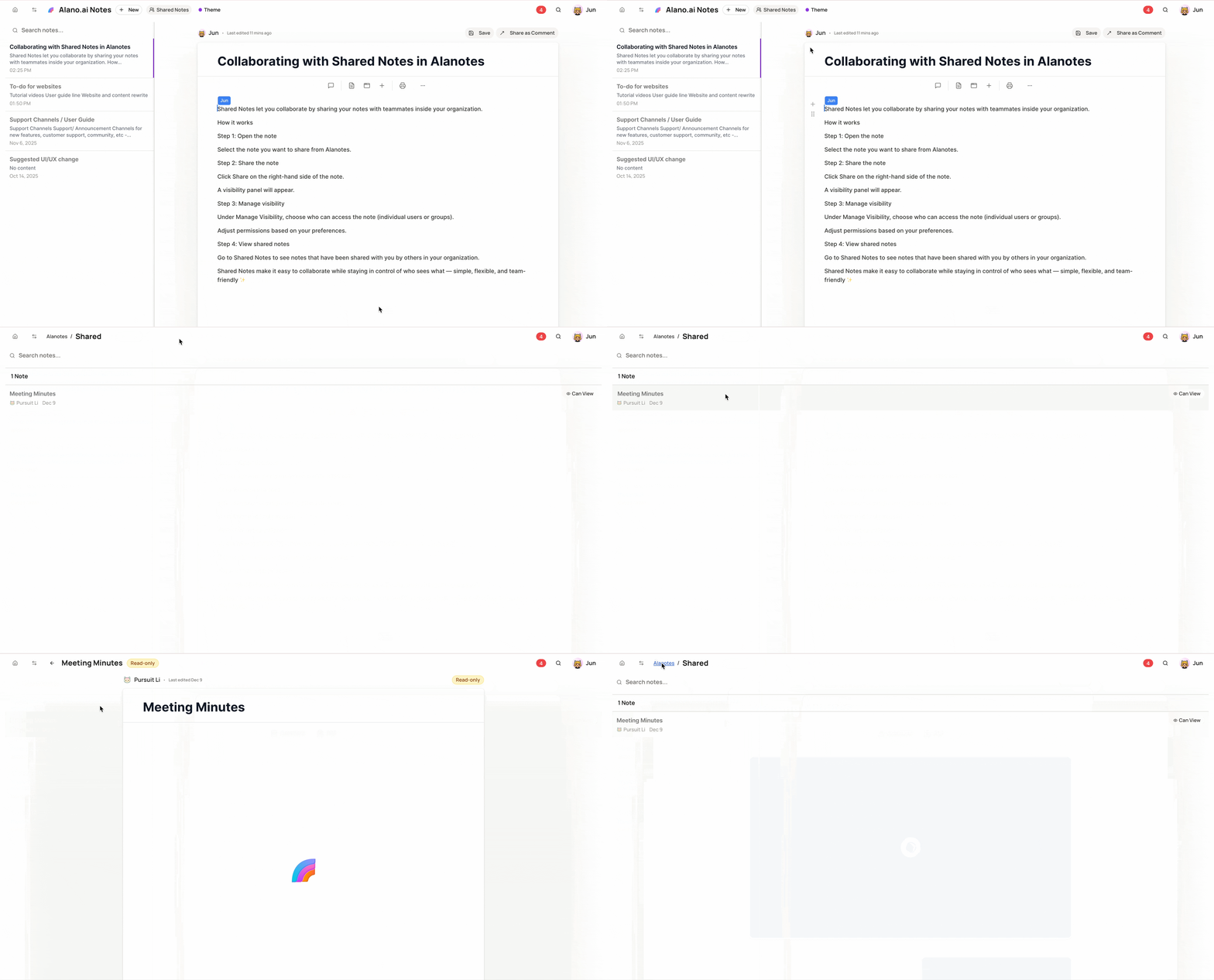
Step 4: View shared notes
- Go to Shared Notes to see notes that have been shared with you by others in your organization.
Shared Notes make it easy to collaborate while staying in control of who sees what - simple, flexible, and team-friendly ✨