
Operations Settings
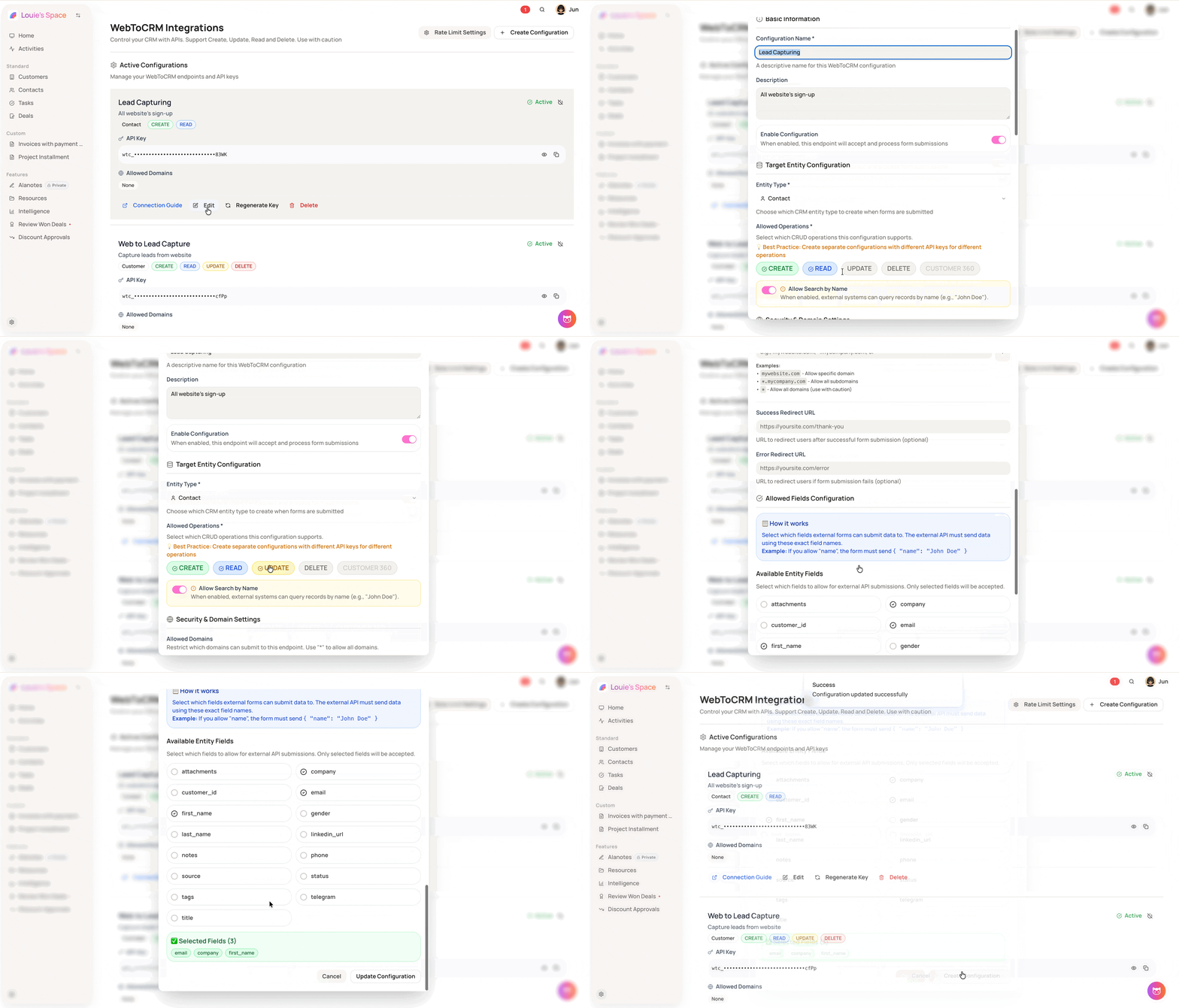
Each WebToCRM configuration supports up to four operations: Create, Read, Update, and Delete. You select which ones apply when setting up or editing a configuration.
On this page
How to use it
-
Go to Settings → WebToCRM
-
Click + Create Configuration or Edit on an existing one
-
Under Allowed Operations, select the operations this endpoint should support: Create, Read, Update, and/or Delete
-
Click Create Configuration or Update Configuration to save
-
Click Connection Guide to view request examples for each enabled operation
-
Best practice is to create separate configurations with different API keys for each operation type
-
The Connection Guide shows the exact request format for each operation you have enabled