
Create Deals
Deals help you track opportunities through each stage of your sales pipeline.
On this page
You can manage deals using a Kanban board, update deal stages, assign owners, and keep all related information in one place.
How Deals work
Deals move through stages that represent different steps in your sales process.
Each deal can be associated with:
-
A customer
-
One or more contacts
-
Financial details
-
Notes, attachments, and activities
You can update deals at any time as they progress through the pipeline.
Step 1: Create a new deal
-
Go to Deals
-
Click Create Deal
This opens the deal creation form.
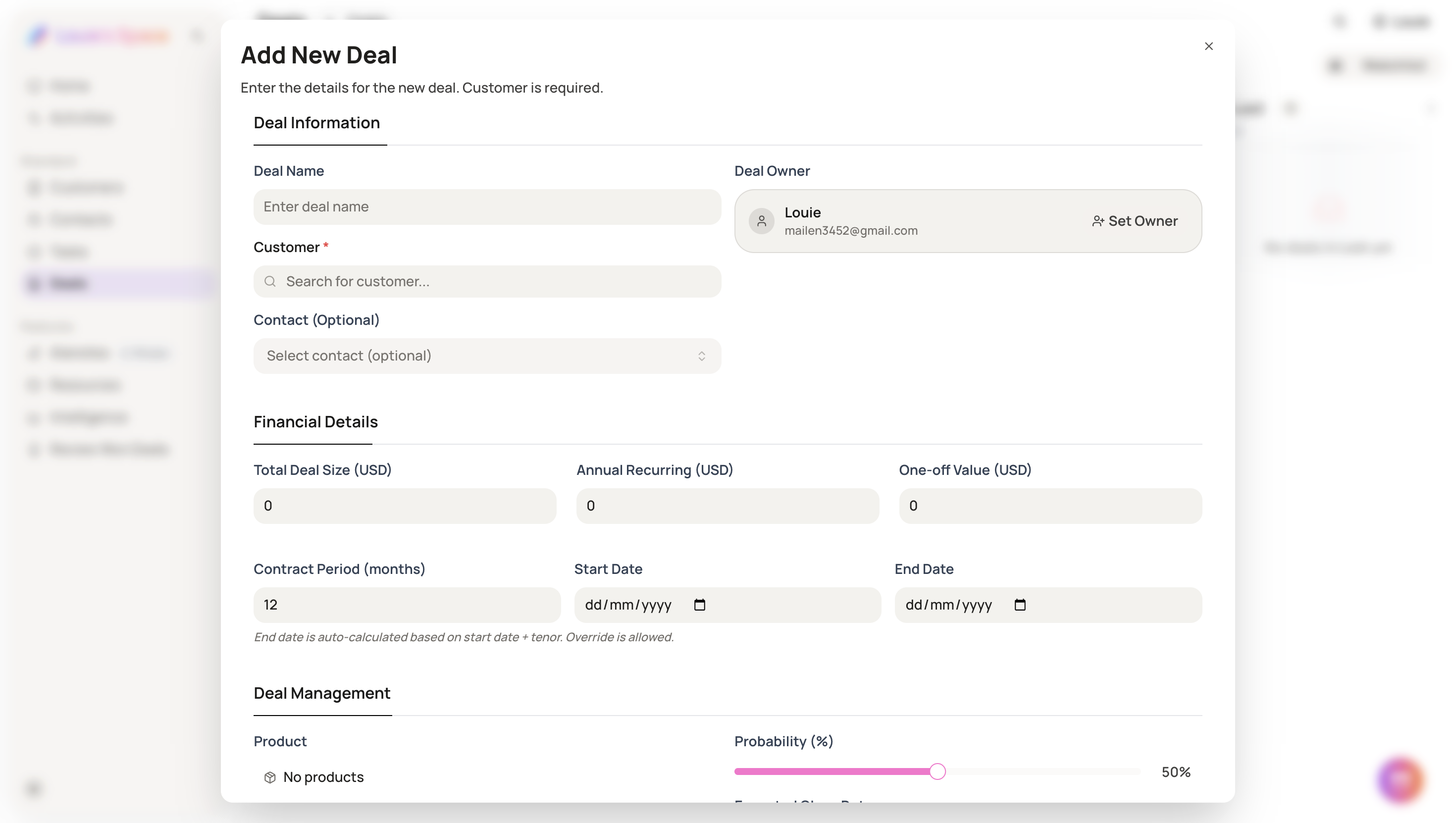
Step 2: Enter deal details
Fill in the relevant information for the deal, including:
-
Deal name
-
Deal owner – assign a team member responsible for the deal
-
Customer – associate an existing customer or create a new one
-
Deal value / financial details
-
Probability
-
Deal stage
-
Notes (optional)
-
Attachments (optional), such as proposals, invoices, or contracts
Step 3: Save the deal
After completing the required fields, save the deal.
The deal will appear in the pipeline under the selected stage.
Step 4: Manage deals on the Kanban board
-
Open the Deals Kanban board
-
Drag and drop deals between stages as they progress
-
Click into a deal to update details at any time
You can adjust deal information, stage, owner, and attachments whenever needed.
Step 5: Use watchlists (optional)
You can add deals to watchlists (by member or group) to:
-
Stay updated on key deals
-
Monitor important opportunities across the team
Summary
-
Create and manage deals in a visual Kanban board
-
Track deals through customizable stages
-
Assign owners and associate customers
-
Update deal details and stages at any time
What’s next
After creating deals, you can:
-
Link contacts and activities
-
Track progress through stages
-
Use AI insights and scoring to prioritize opportunities
Creating deals helps you keep your sales pipeline organized and always up to date.