
AI Scoring & Ranking
On this page
AI Scoring for Customers
AI Scoring for Customers helps you evaluate how well a customer fits your organization’s preferences using Alano AI.
Each customer is assigned a score from 0–100, allowing you to quickly assess customer quality and prioritize your efforts. Customers can be scored individually or in batches.
How AI Scoring for Customers works
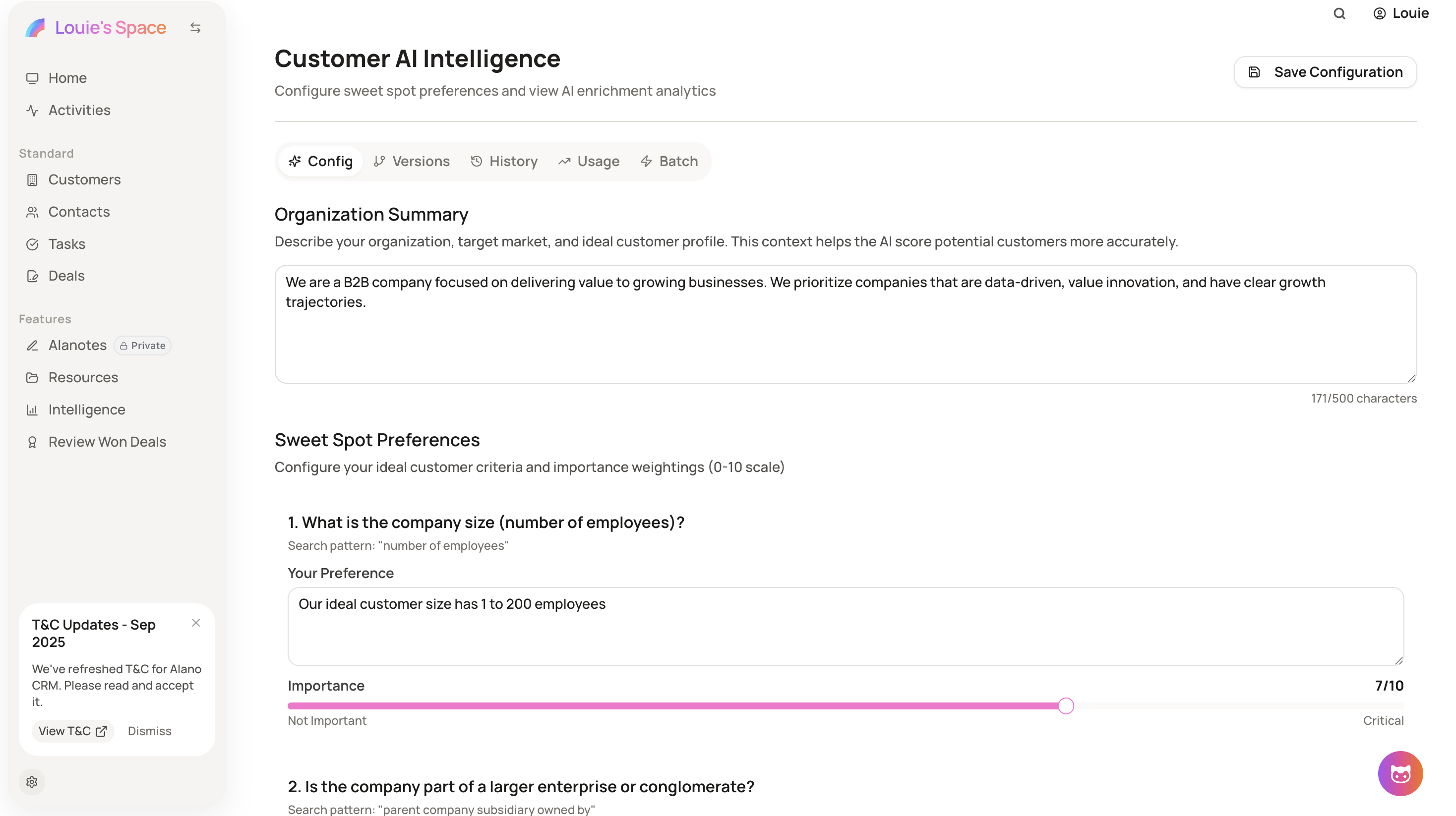
AI Scoring evaluates customers based on your organization’s preferences, which are configurable by admins in:
Settings → Customer AI Intelligence
The AI considers multiple signals, including:
-
Company size
-
Whether the company is owned by a larger enterprise or conglomerate
-
Recent positive developments or growth indicators
-
Recent negative developments or challenges
-
Industry keywords and sectors associated with the company
The scoring logic can be adjusted by admins at any time in Settings → Customer AI Intelligence.
Step 1: Select customers to score
-
Go to Customers
-
Select one or multiple customer profiles you want to score
You can score customers individually or select multiple customers for batch scoring.
Step 2: Start enrichment and scoring
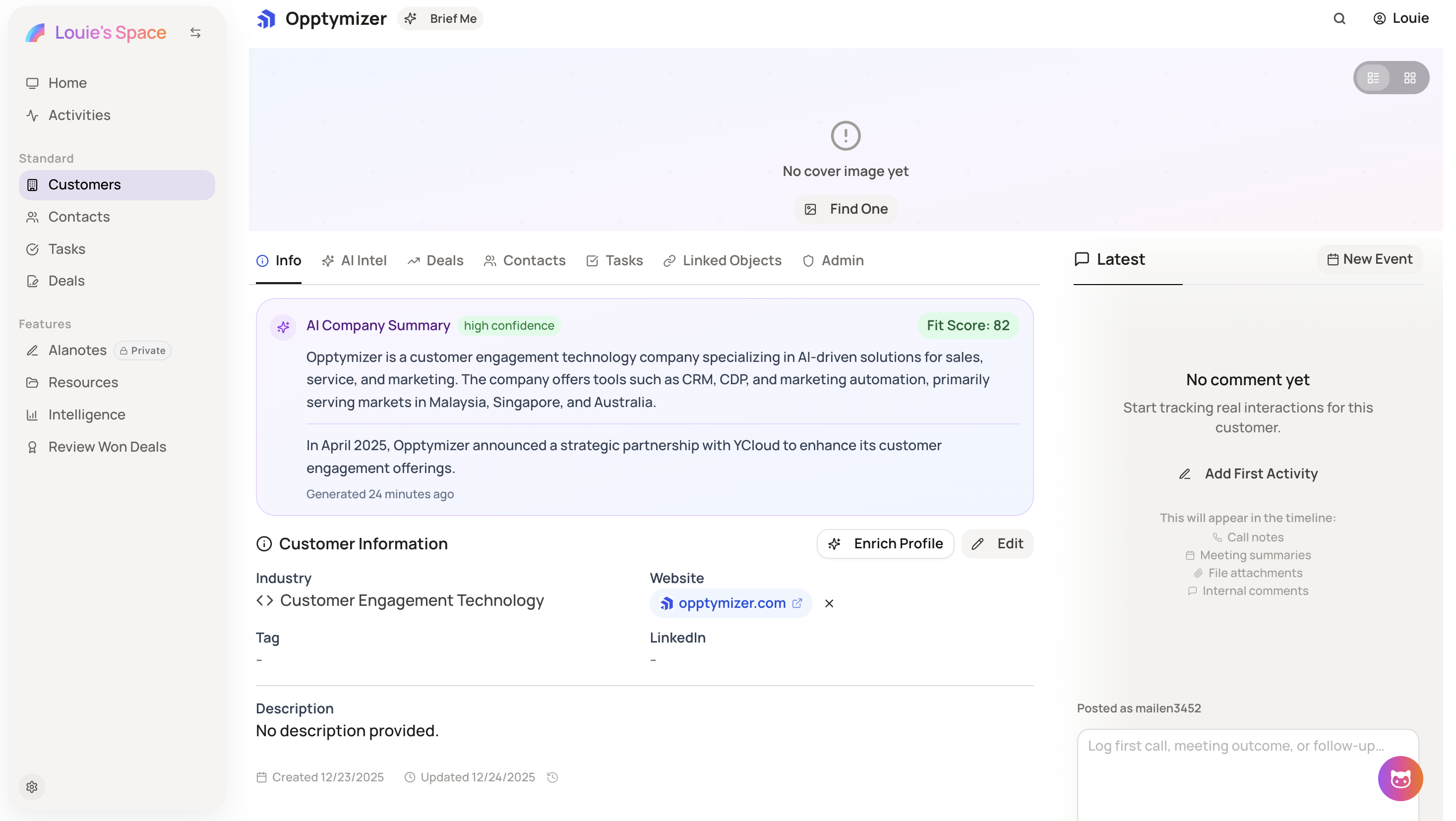
- Click Enrich Profile
When enrichment is triggered, AI Scoring is automatically applied to the selected customers.
Step 3: Review AI score
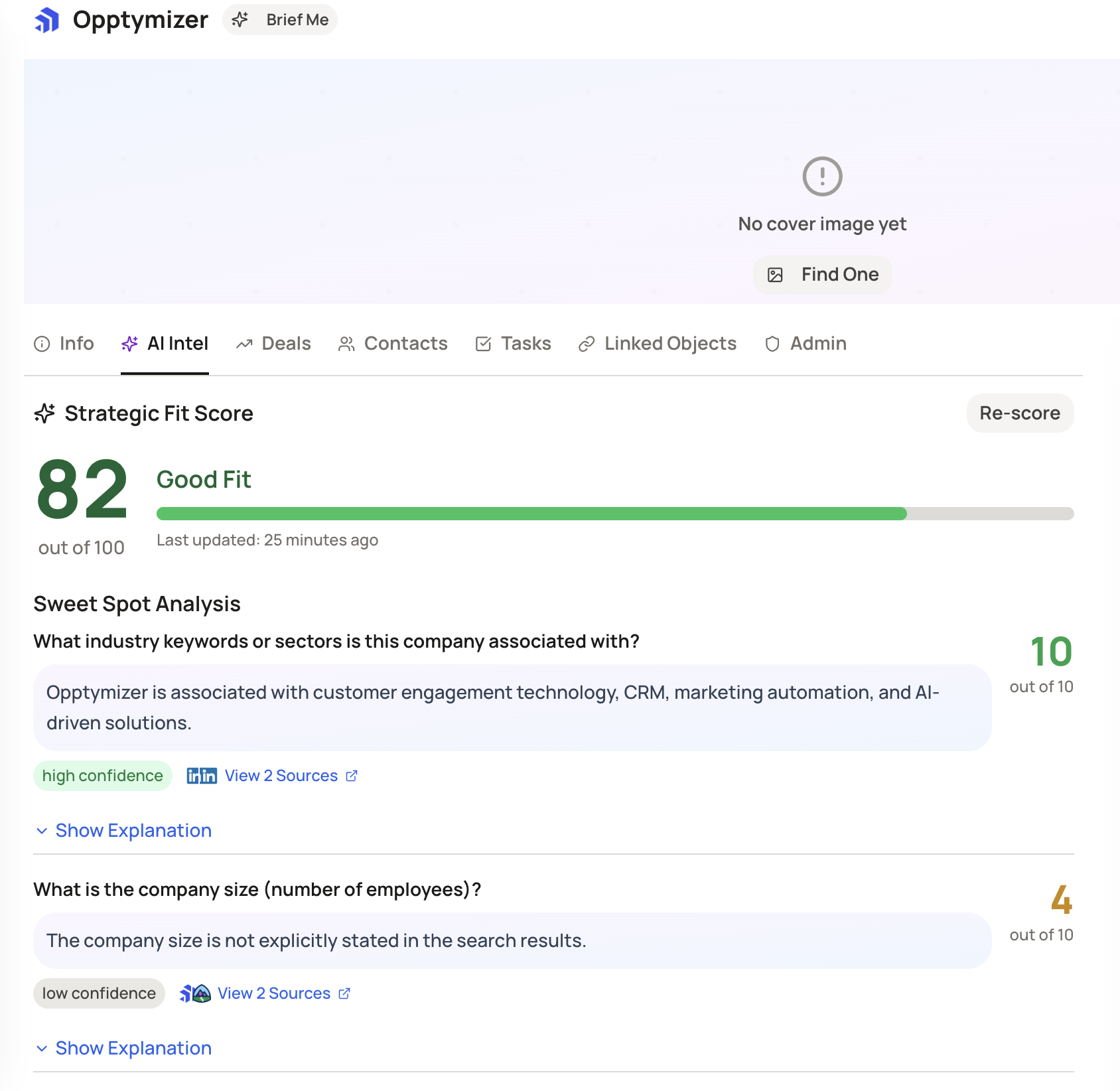
After enrichment:
-
Each customer receives a Fit Score (0–100)
-
The score reflects how closely the customer matches your organization’s preferences
You can review the score directly within the customer profile.
Step 4: Adjust preferences (Admin only)
Admins can fine-tune scoring logic by navigating to:
Settings → Customer AI Intelligence
Preferences can be updated to better match your targeting strategy.