
Watchlist
The Watchlist lets you filter all Data Intelligence views to show data only for selected team members or groups.
On this page
How to use it
-
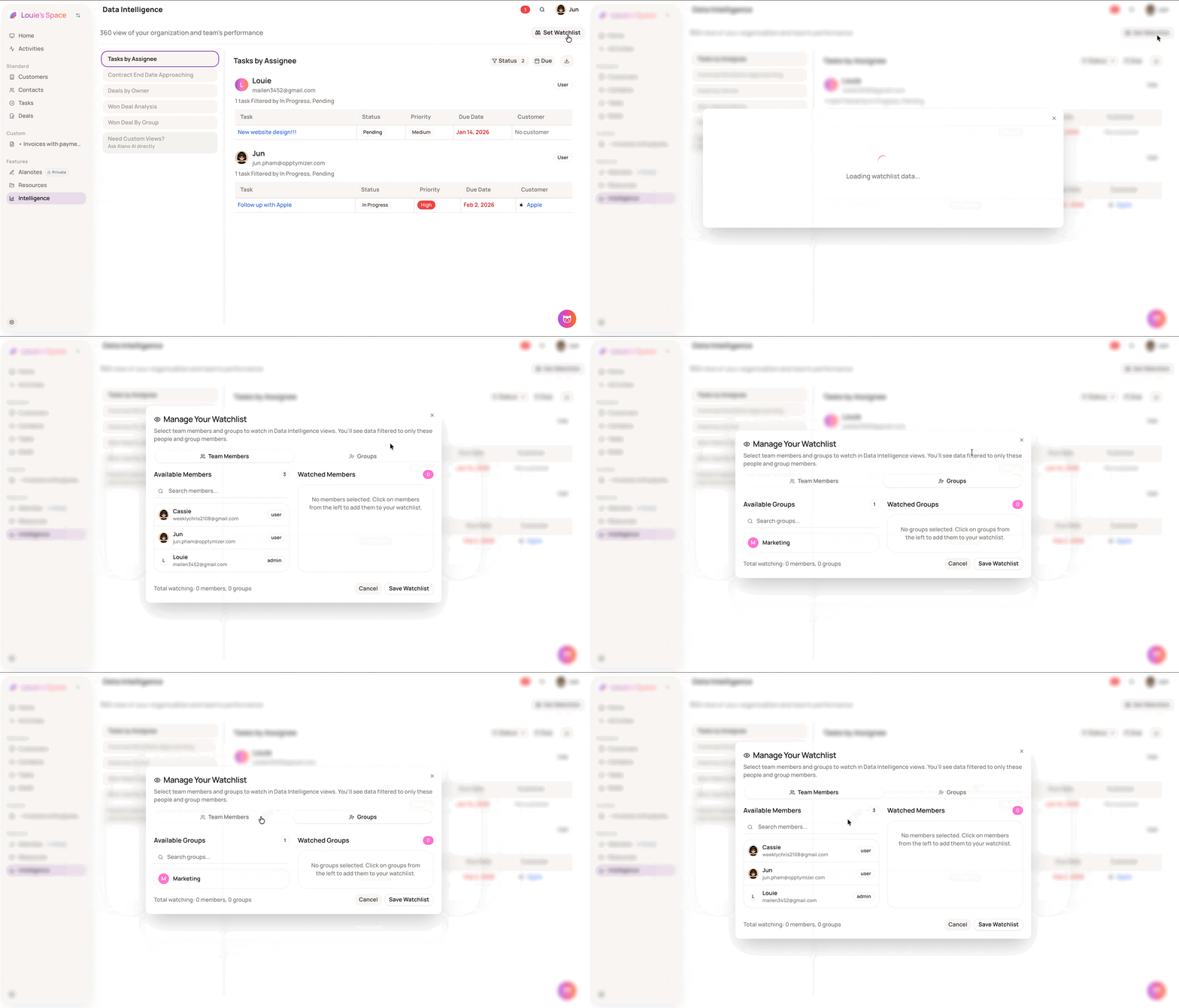
In Data Intelligence, click Set Watchlist at the top right
-
Select the Team Members or Groups tab
-
Click on a member or group from the left column to move them to your watchlist
-
Click Save Watchlist to apply
Notes
-
Team Members filters views by individual users. Groups filters by an entire team — all members within that group are included automatically
-
Once set, all Data Intelligence views will update to show data filtered to your watched members and groups only
-
You can watch individual members and groups at the same time
-
The total count of watched members and groups is shown at the bottom of the modal before saving