
Whitelist
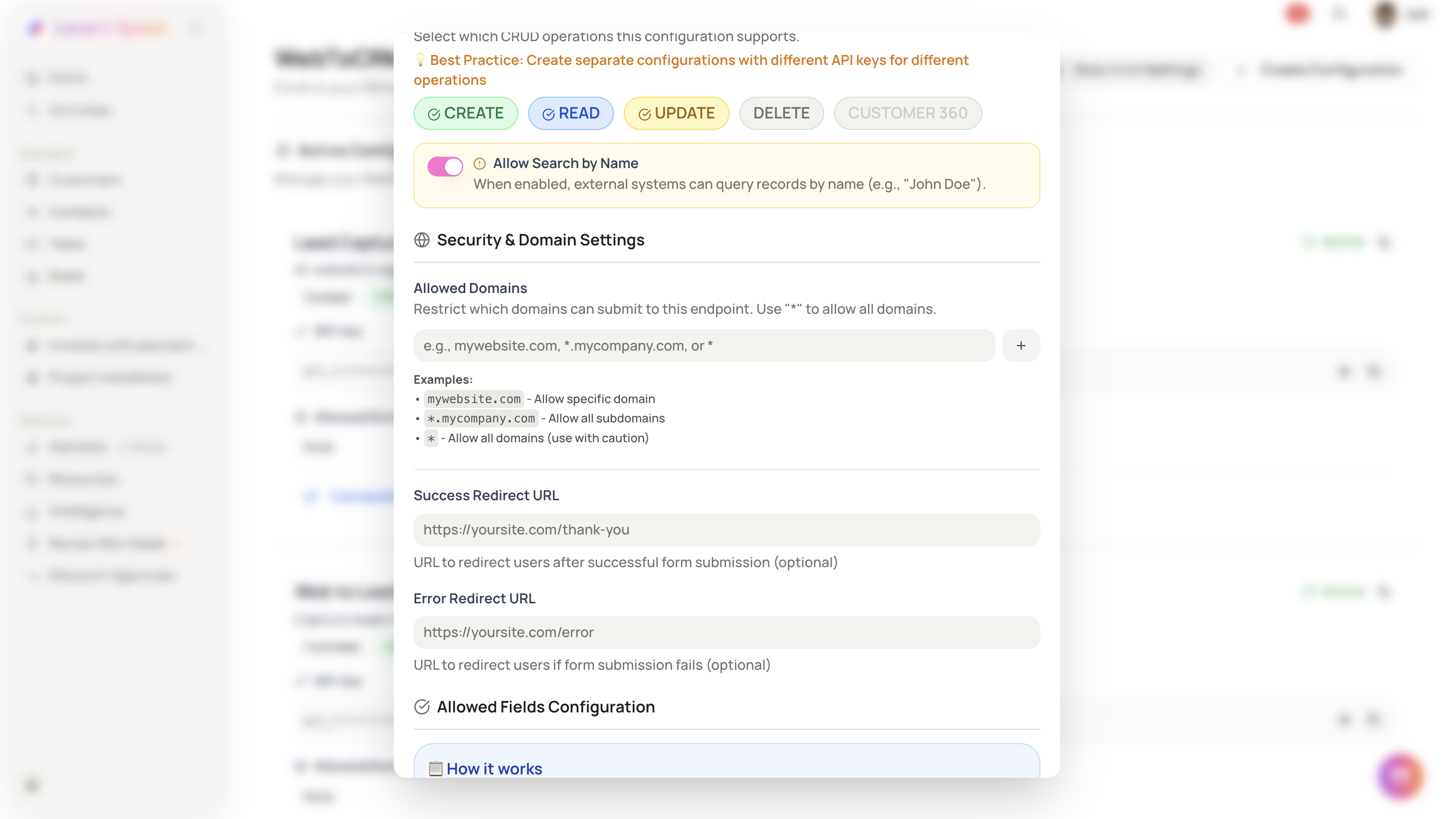
Restrict which domains can submit WebToCRM requests by specifying a list of approved domains in your configuration.
On this page
How it works
Each WebToCRM configuration includes an Allowed Domains field. Only requests originating from domains listed there are accepted. You can specify exact domains, use wildcard subdomains, or allow all domains using *.
Setting up allowed domains
Go to Settings → WebToCRM. Click Create Configuration to start a new one, or click Edit on an existing configuration. In the Allowed Domains field, enter each approved domain on a separate line.
Accepted formats:
-
mywebsite.com— exact domain match -
*.mycompany.com— all subdomains under a domain -
*— allow all domains without restriction
Click Create Configuration or Update Configuration to save.
-
Use
*only if domain restriction is not required. Any source will be accepted. -
Wildcard entries apply to subdomains only, not the root domain itself.