
Sprint
Sprints are time-boxed work cycles that help you plan, organize, and track tasks in focused periods.
On this page
You can create a sprint on its own and link tasks later, or create tasks directly inside a sprint.
How it works
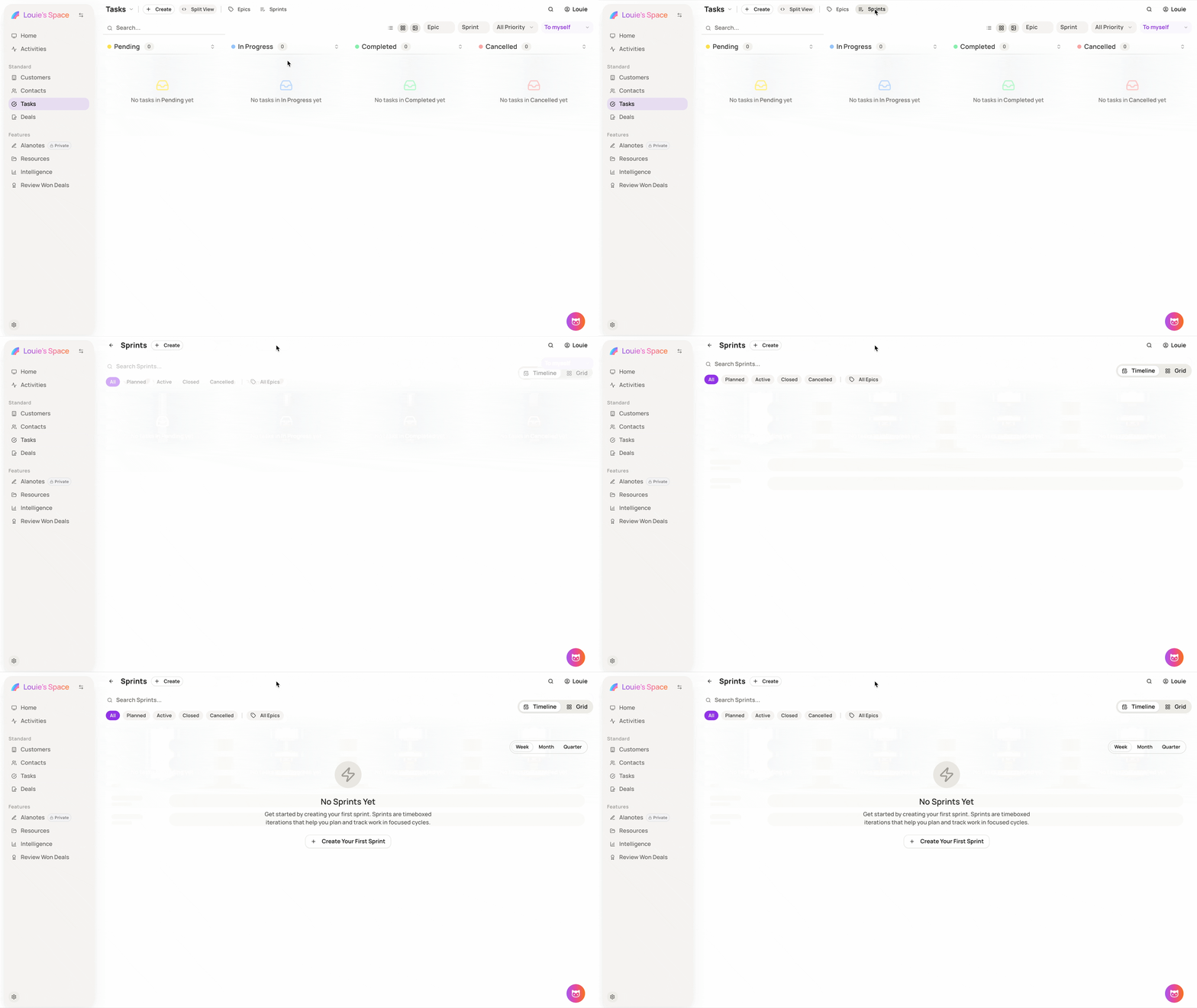
Step 1: Open Sprints
-
Go to Tasks
-
Select Sprints from the top navigation bar
-
Click Create Sprint
This opens the sprint creation form.
Step 2: Set up your sprint
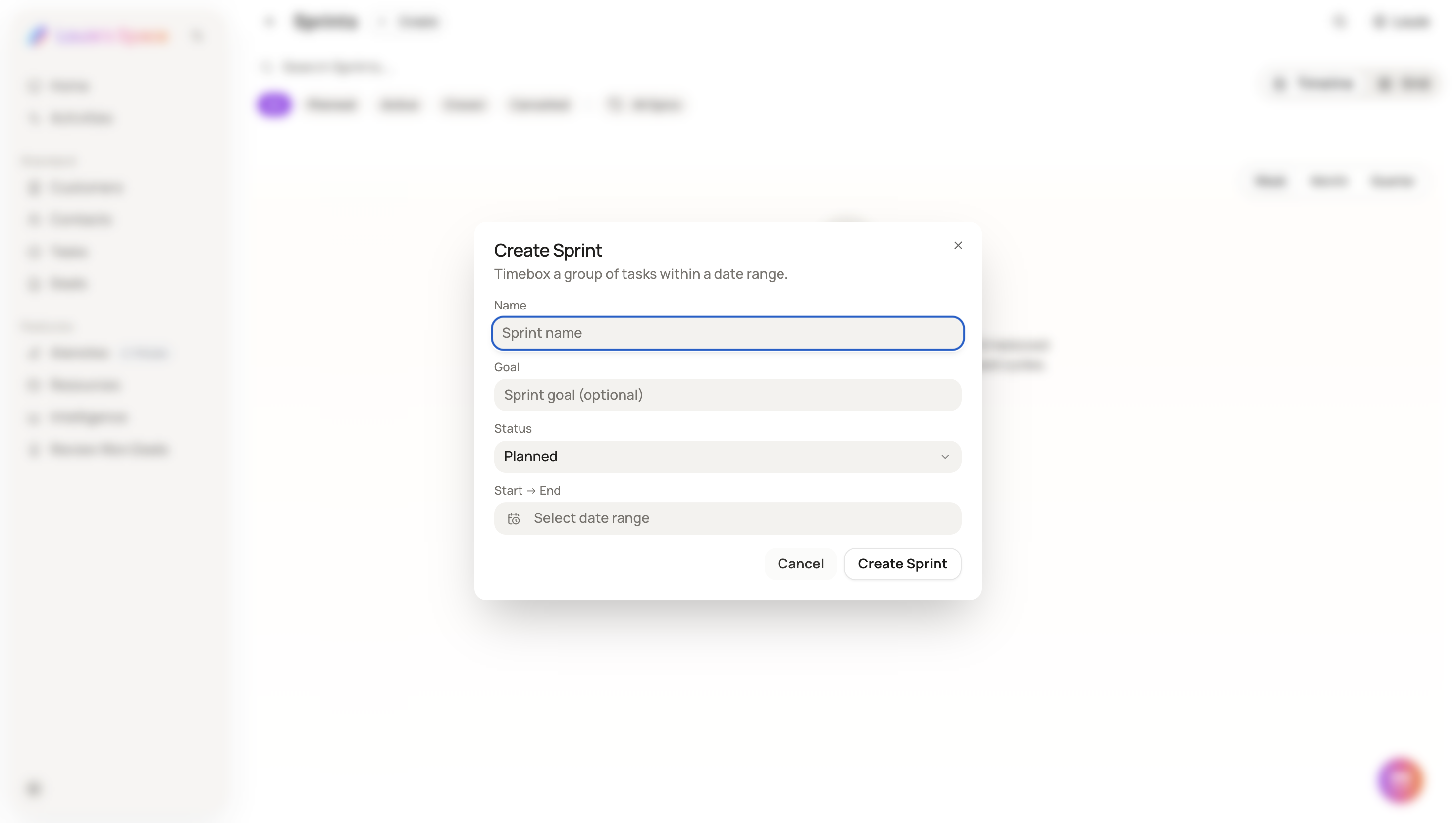
Enter the sprint details, including:
-
Sprint name – a clear title for the work cycle
-
Sprint goal (optional) – what this sprint aims to achieve
-
Status – choose between Planned, Active, or Closed
-
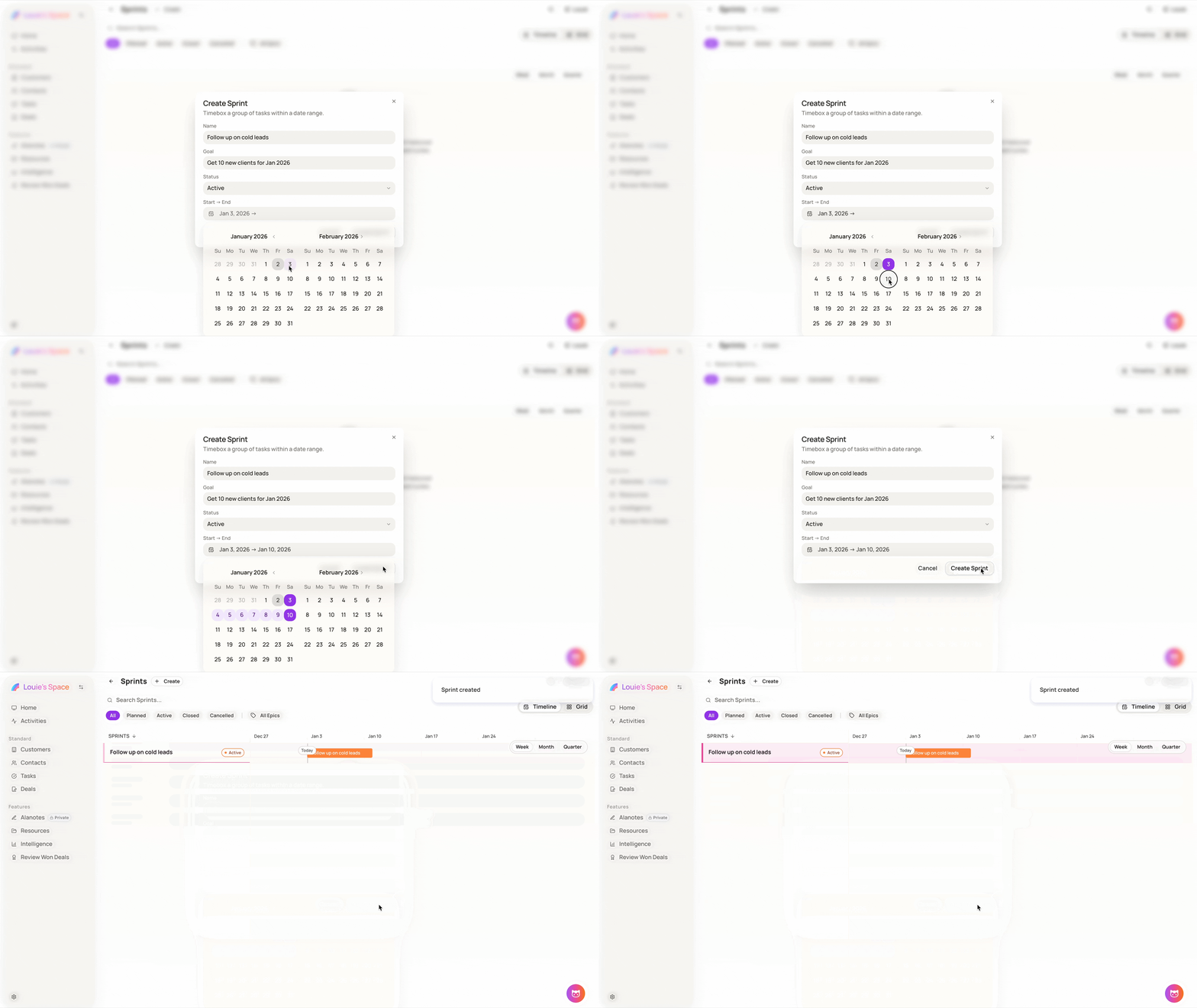
Start → End date – define the sprint timeline
Click Create Sprint to continue.
Step 3: Add tasks to the sprint
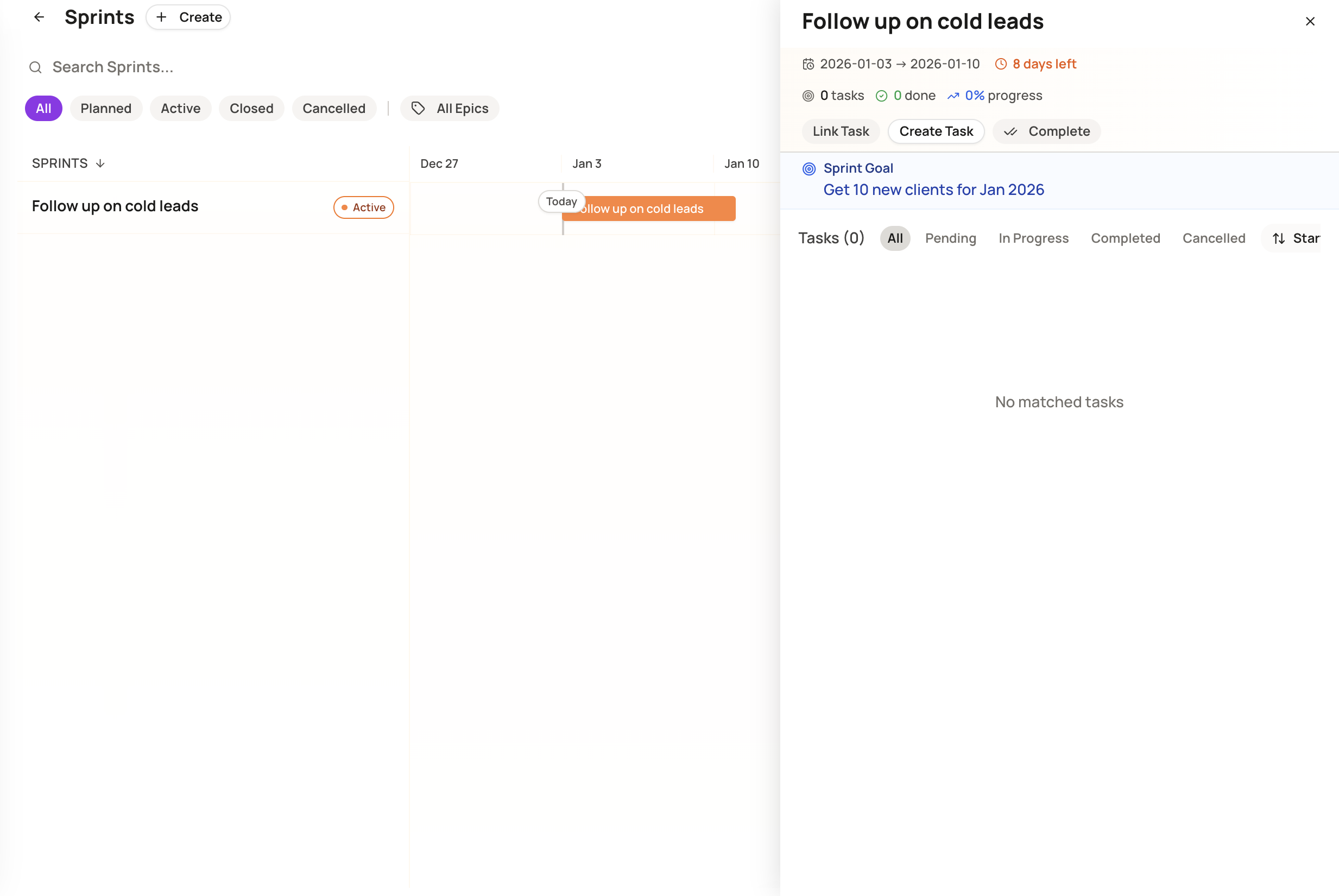
After creating a sprint, you can:
-
Select Link Task to add existing tasks, or
-
Select Create Task to create new tasks directly inside the sprint
All linked tasks will be tracked within the sprint timeline.
Step 4: Track sprint progress
Inside a sprint, you can:
-
View all related tasks by status (Pending, In Progress, Completed, Cancelled)
-
Monitor sprint progress and remaining time
-
Update or complete tasks as work moves forward
Sprints help your team stay focused, aligned, and on track, especially when managing short-term goals or execution cycles.