
Decision Makers Finder
Find Decision Makers helps you identify key decision-makers or relevant contacts within a specific customer account.
On this page
This feature allows you to discover new contacts or surface existing ones directly inside a customer profile—without leaving Alano.
How Find Decision Makers works
Find Decision Makers uses AI to search for contacts that match specific functional roles within a company.
You can search by category, such as:
-
Finance
-
Sales
-
Marketing
-
Operations
-
Product
-
Services
-
Manufacturing
-
Research
-
Tech
-
Executive
You can also optionally filter by country.
Step 1: Open a customer profile
-
Go to Customers
-
Select the customer profile you want to work with
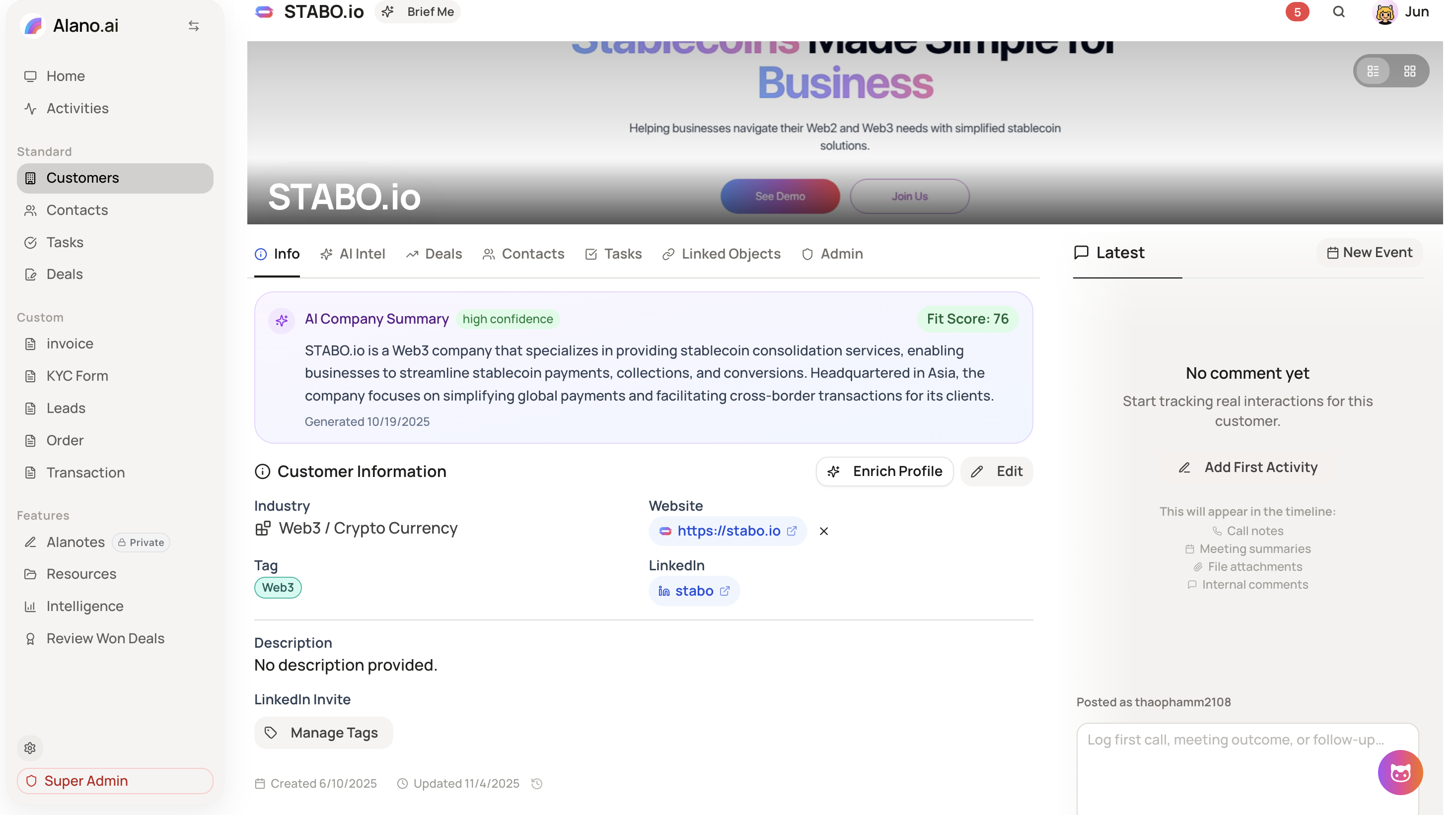
Step 2: Navigate to Contacts
-
In the customer profile, locate the top navigation bar
-
Click Contacts
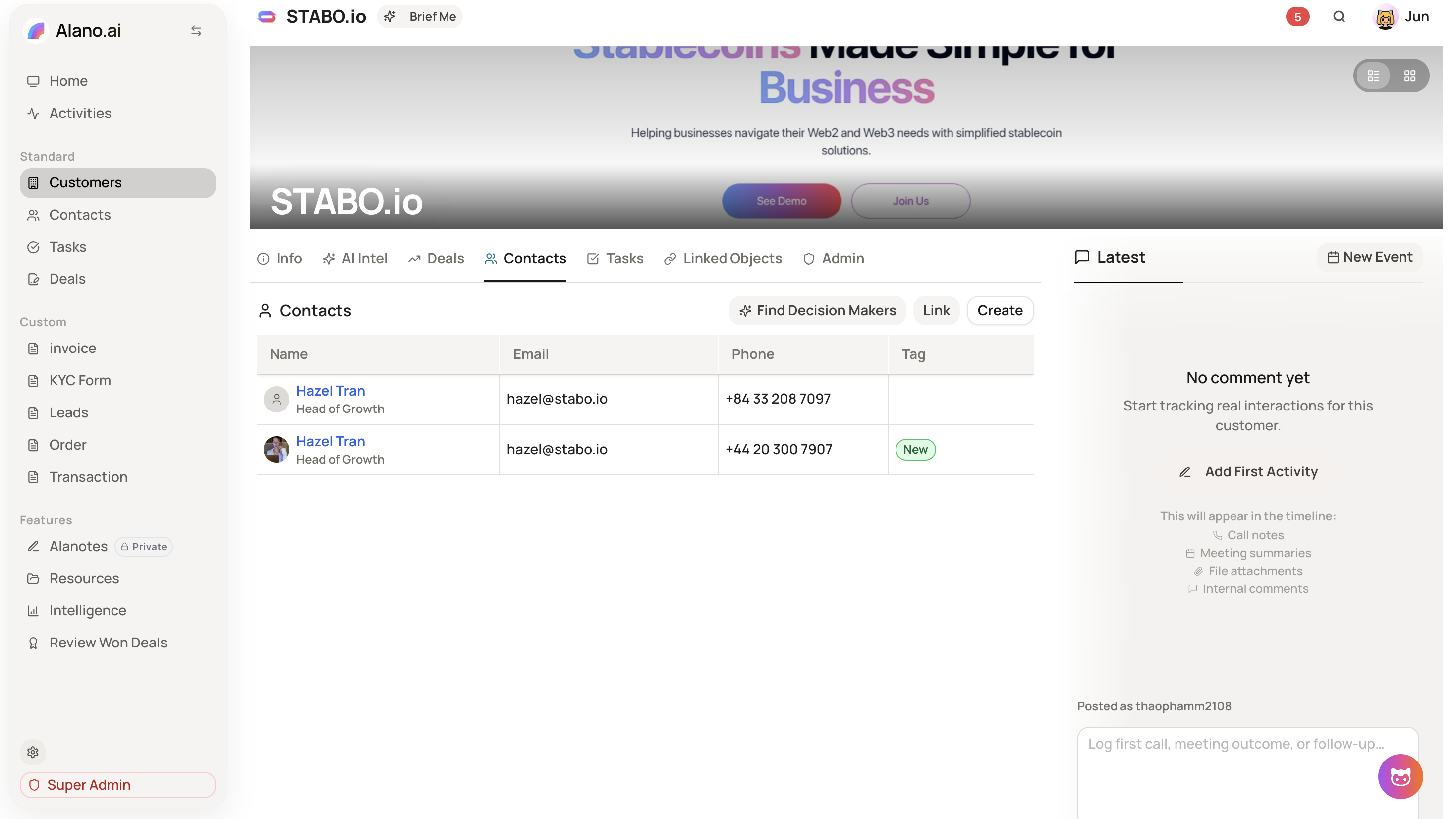
Step 3: Start finding decision makers
-
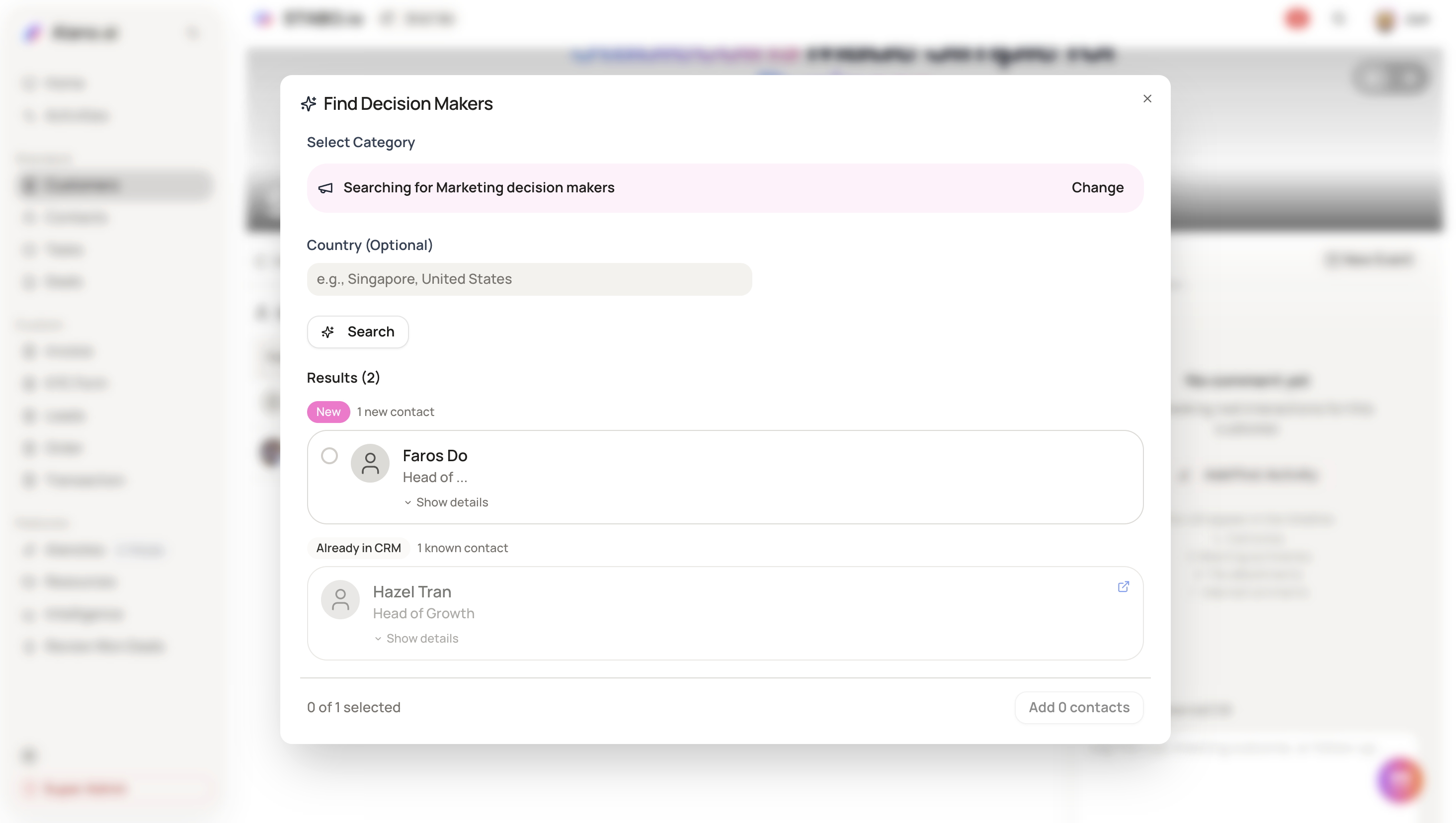
Click Find Decision Makers
-
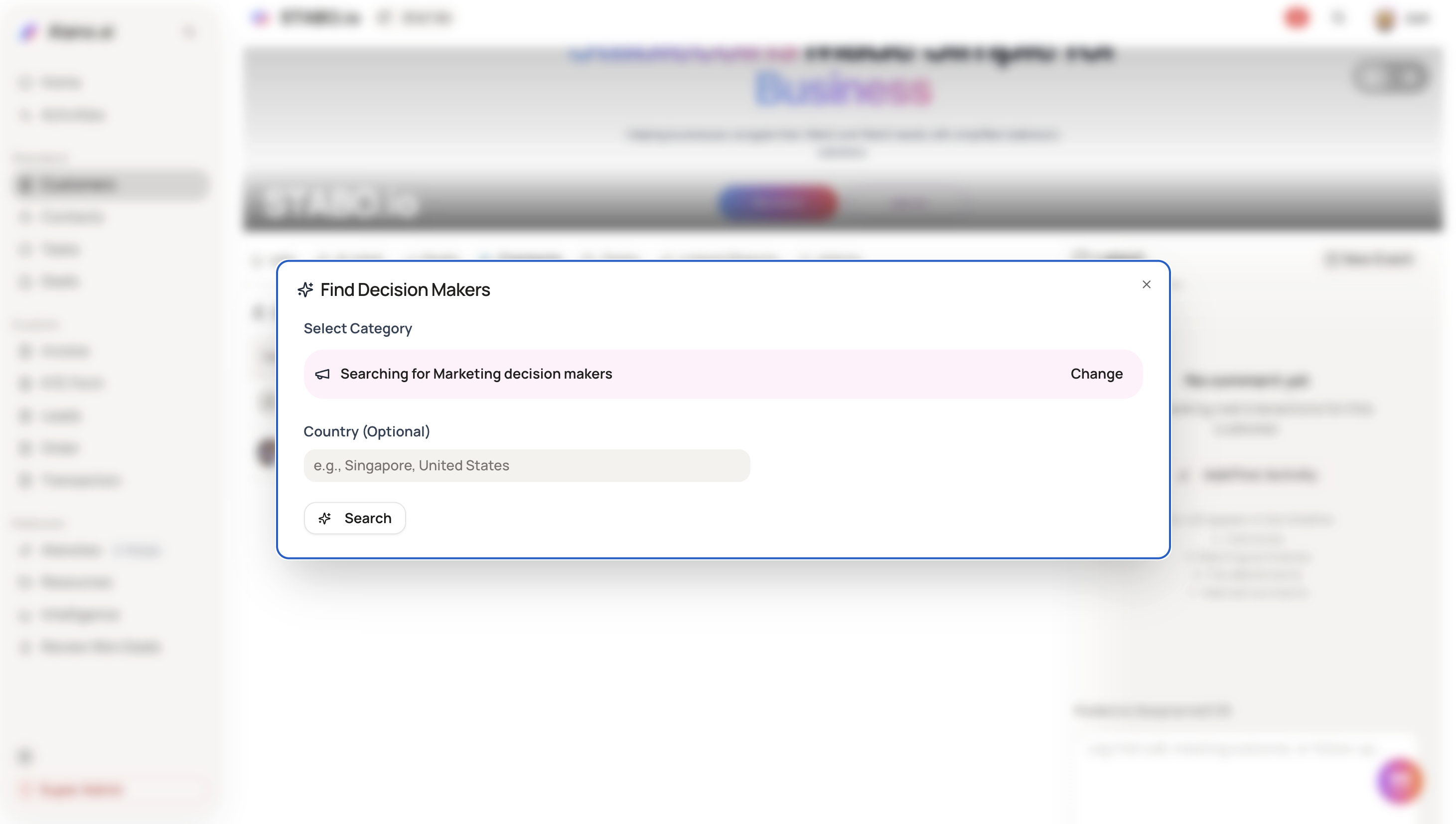
Select a category that matches the type of decision maker you’re looking for
(e.g. Marketing, Finance, Executive, etc.)
If no category is selected, Alano will search for executive-level contacts by default.
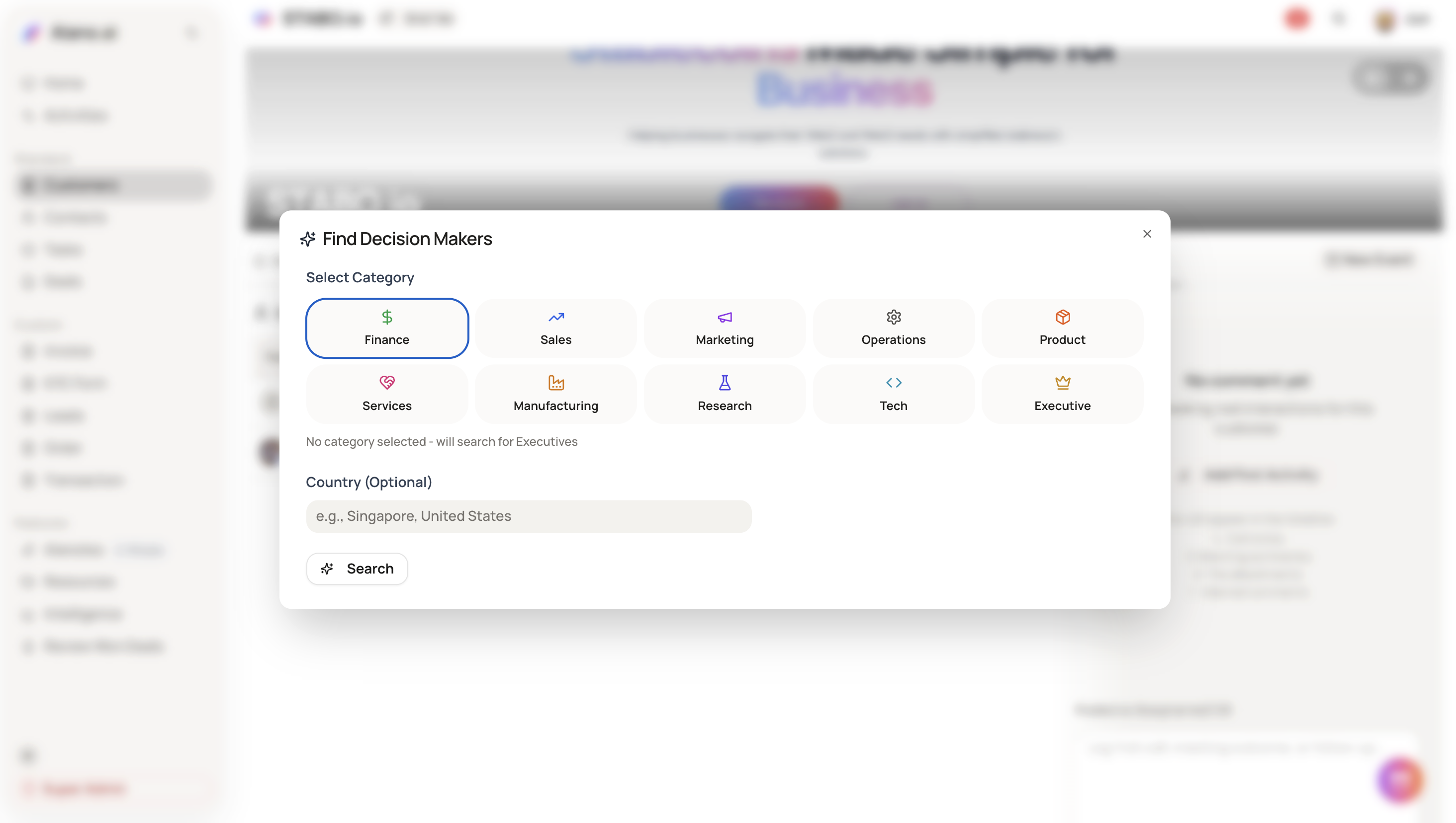
Step 4: (Optional) Add a country filter
If needed, enter a country to narrow down results
(e.g. Singapore, United States)
Then click Search.
Step 5: Review search results
After searching, results will be grouped into:
-
New contacts – contacts not yet in your CRM
-
Already in CRM – contacts that already exist in Alano
You can:
-
View basic details
-
Expand profiles to see more information
-
Identify which contacts are new vs existing
Step 6: Add selected contacts
-
Select one or more contacts from the results
-
Click Add contacts
Selected contacts will be added directly to the customer’s contact list.
Summary
-
Find key decision-makers inside a customer account
-
Search by functional role and country
-
Identify new vs existing contacts
-
Add contacts directly into the customer profile