
Deals Linking
Each deal in Alano lets you attach related people, tasks, objects, documents, and notes directly from the deal page, keeping all relevant context in one place.
On this page
How to use it
-
Go to Deals
-
Click on the deal you want to manage
-
Select the relevant tab across the top to link or add content
What you can link
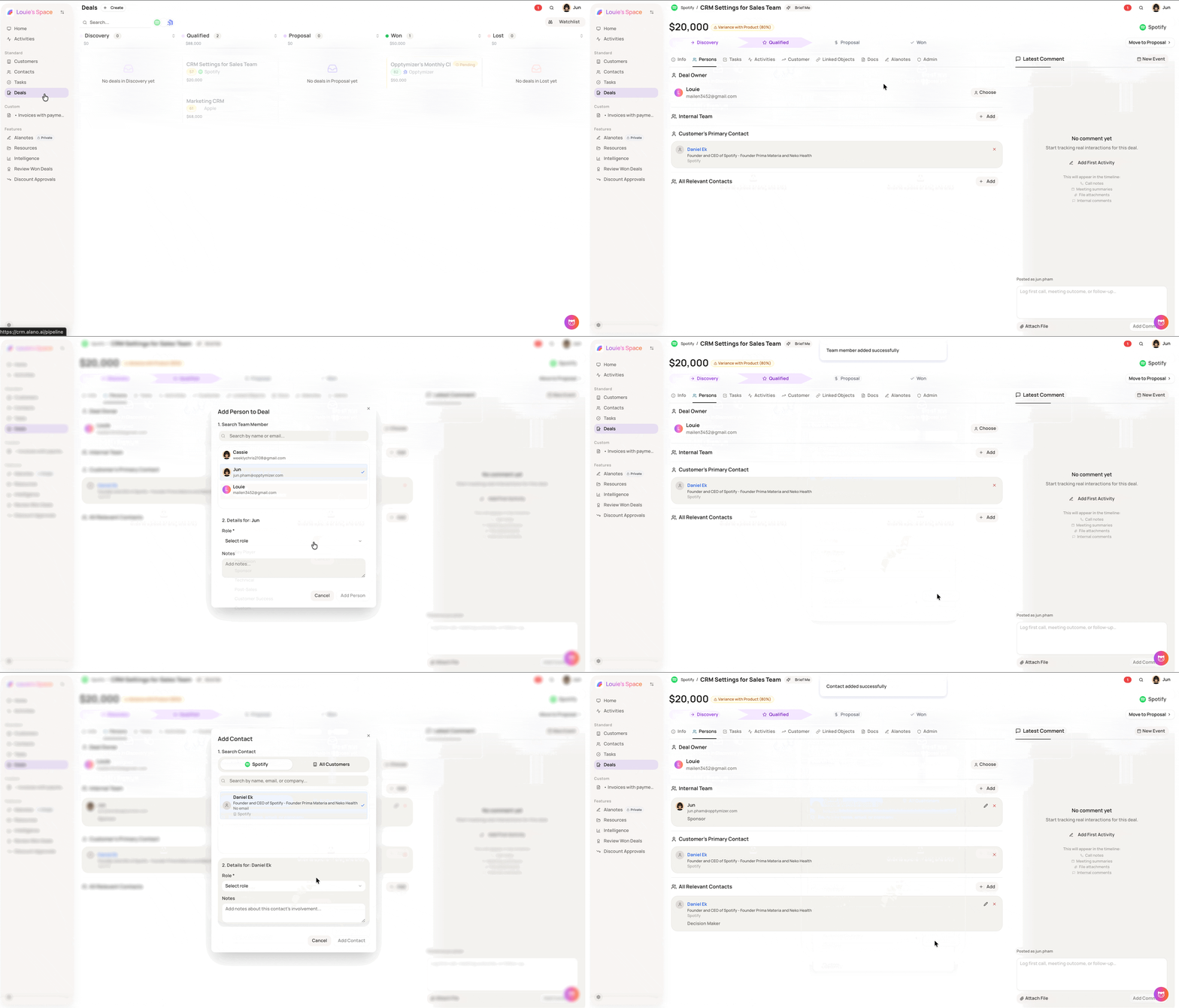
- Persons - manage everyone connected to the deal: Deal Owner, Internal Team, Customer’s Primary Contact, and All Relevant Contacts
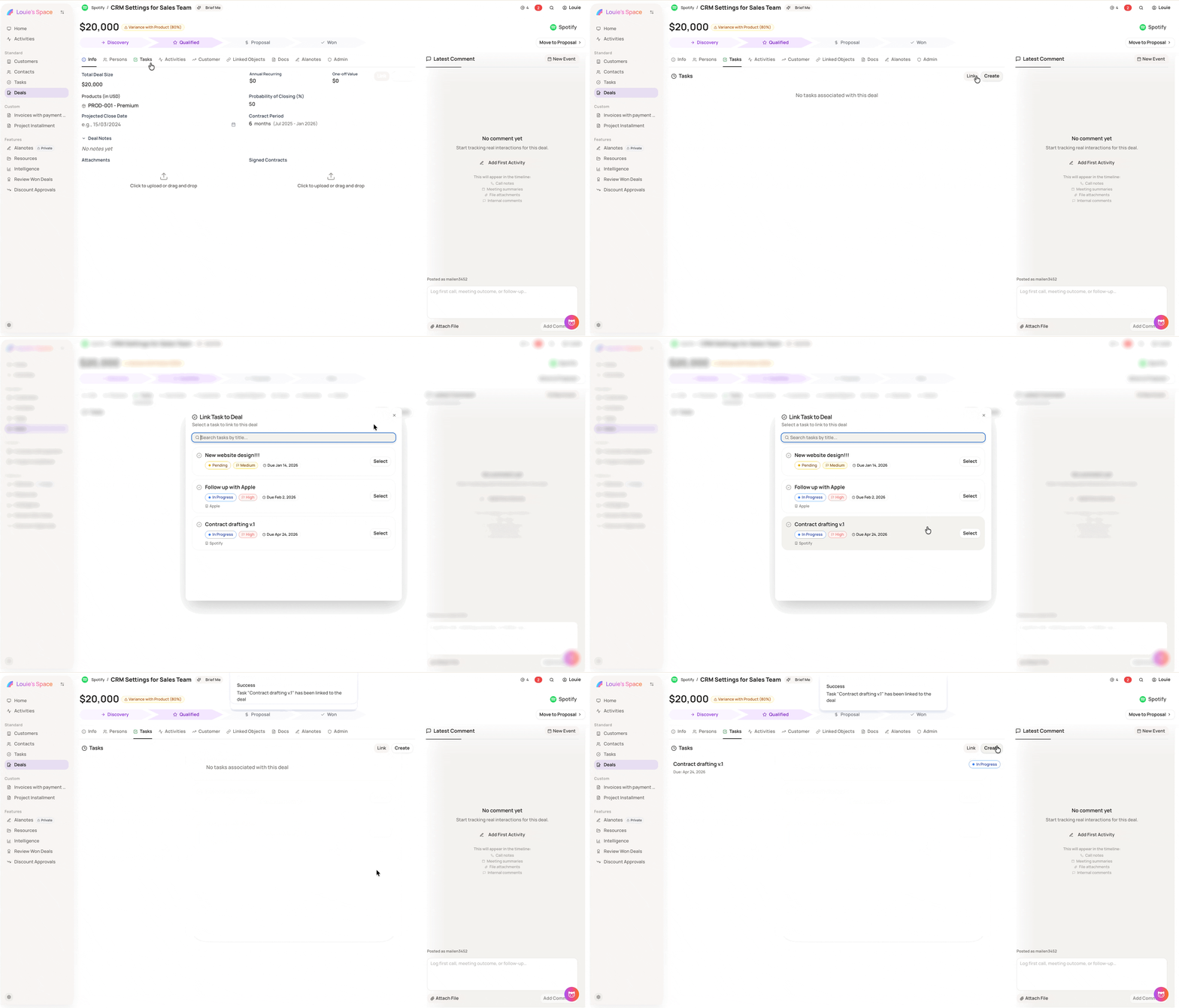
- Tasks - click Link to attach an existing task or Create to add a new one
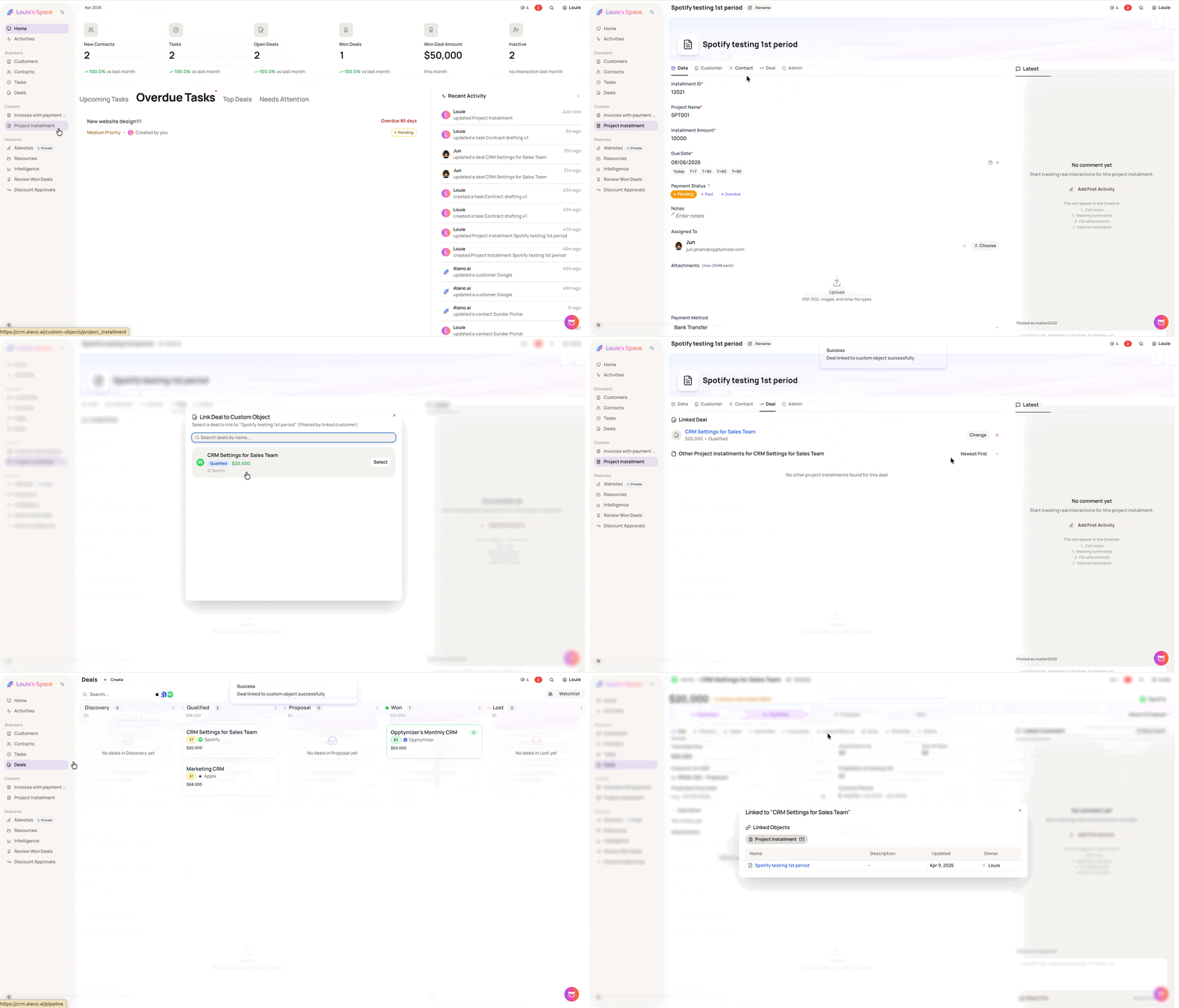
- Linked Objects - connect any custom object from your CRM (e.g., Invoice, Contract, KYC Form)
-
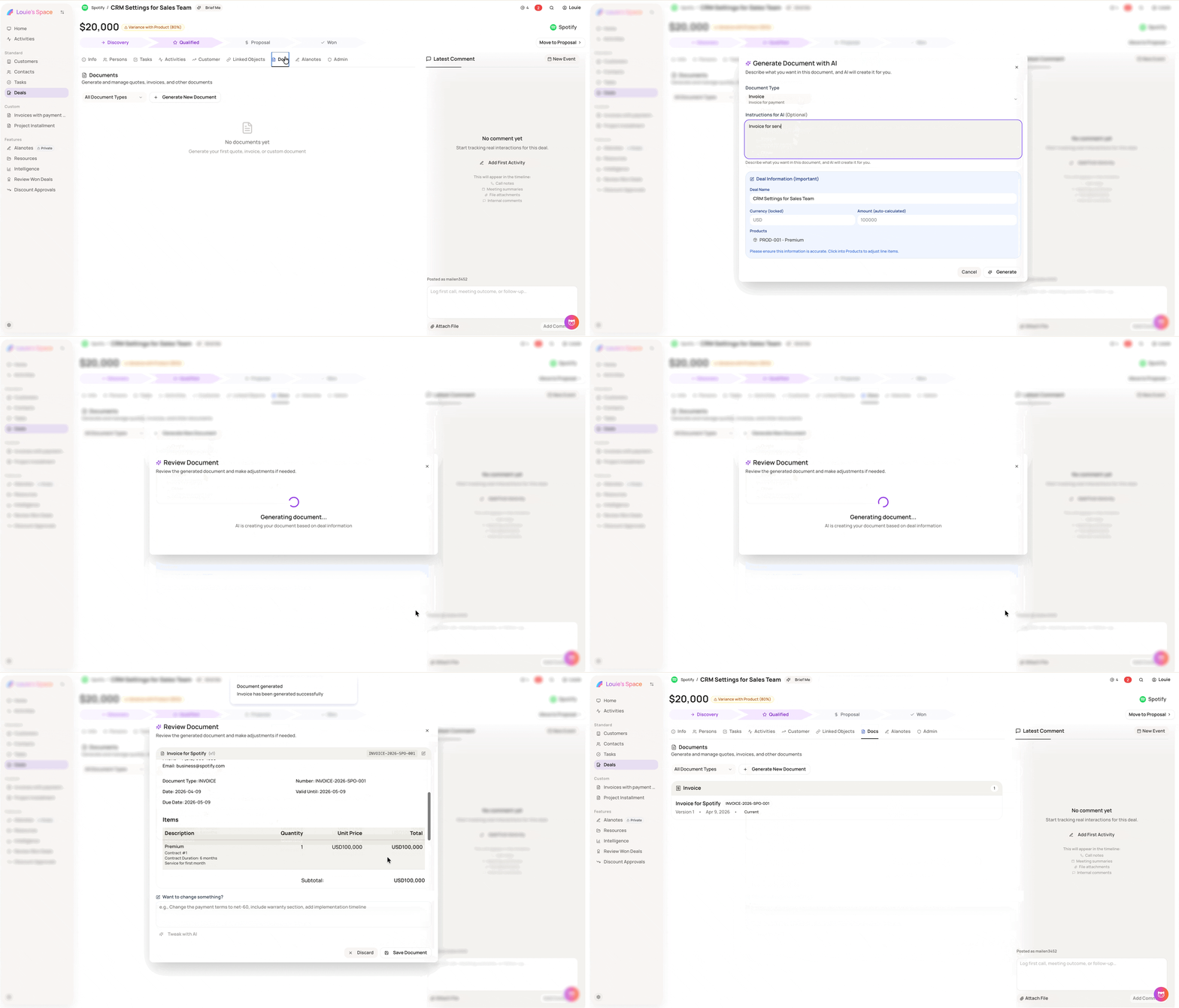
Docs - generate AI-powered documents.
Click + Generate New Document, select a type (Invoice, Quote, Order, or Others), describe the details, then Generate → Review → Save
- Alanotes - link an existing note or create a new one directly from the deal
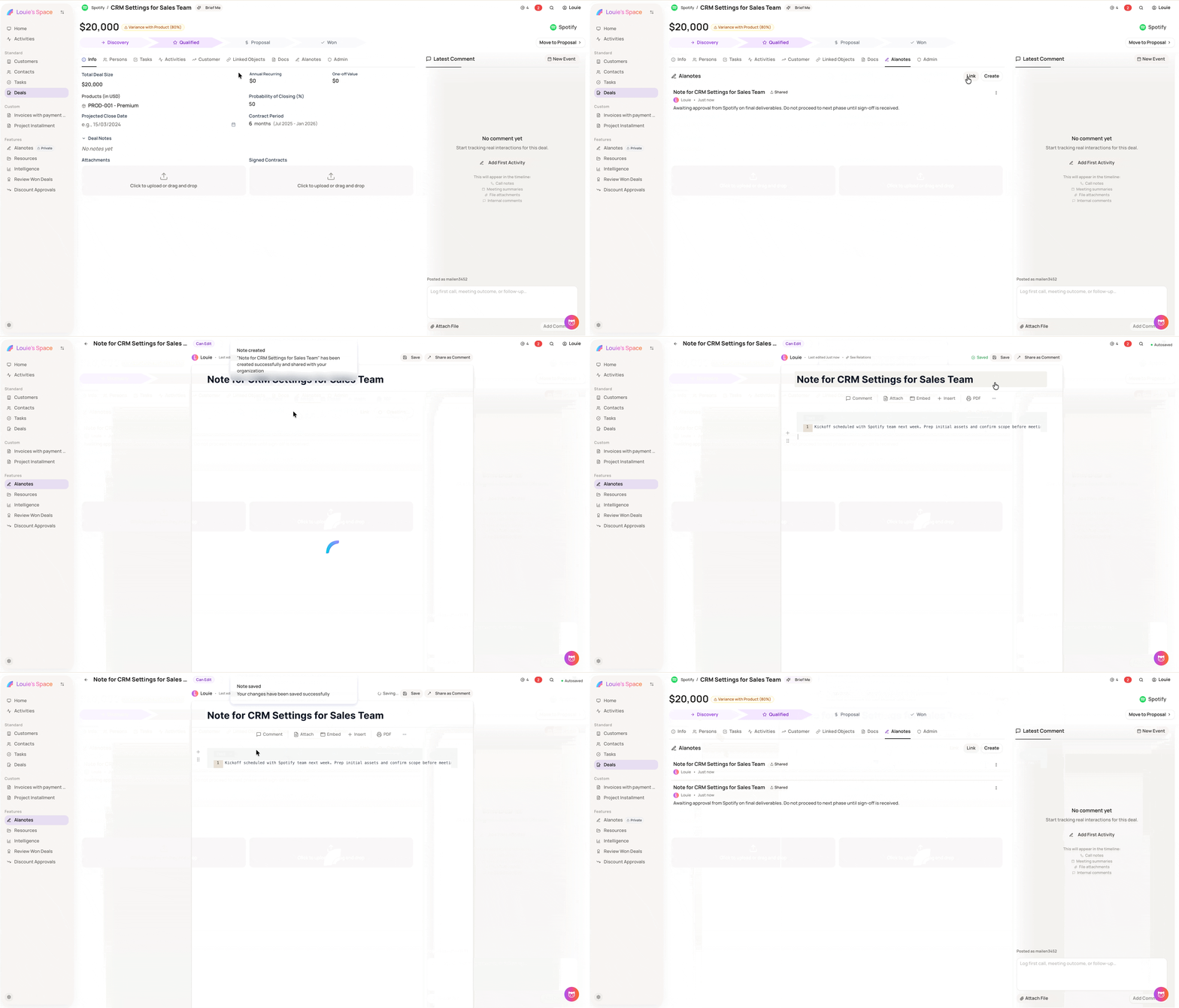
Notes
-
All linked content remains accessible from its respective tab at any time
-
Documents in Docs are generated by Alano AI based on your description - review before saving them.