
Create Task
Create Task allows you to create, assign easily, and track tasks for yourself, a team member, or an internal group.
On this page
Tasks help ensure work is clearly assigned, prioritized, and completed on time.
How to create tasks
-
Go to Tasks
-
Select Create
-
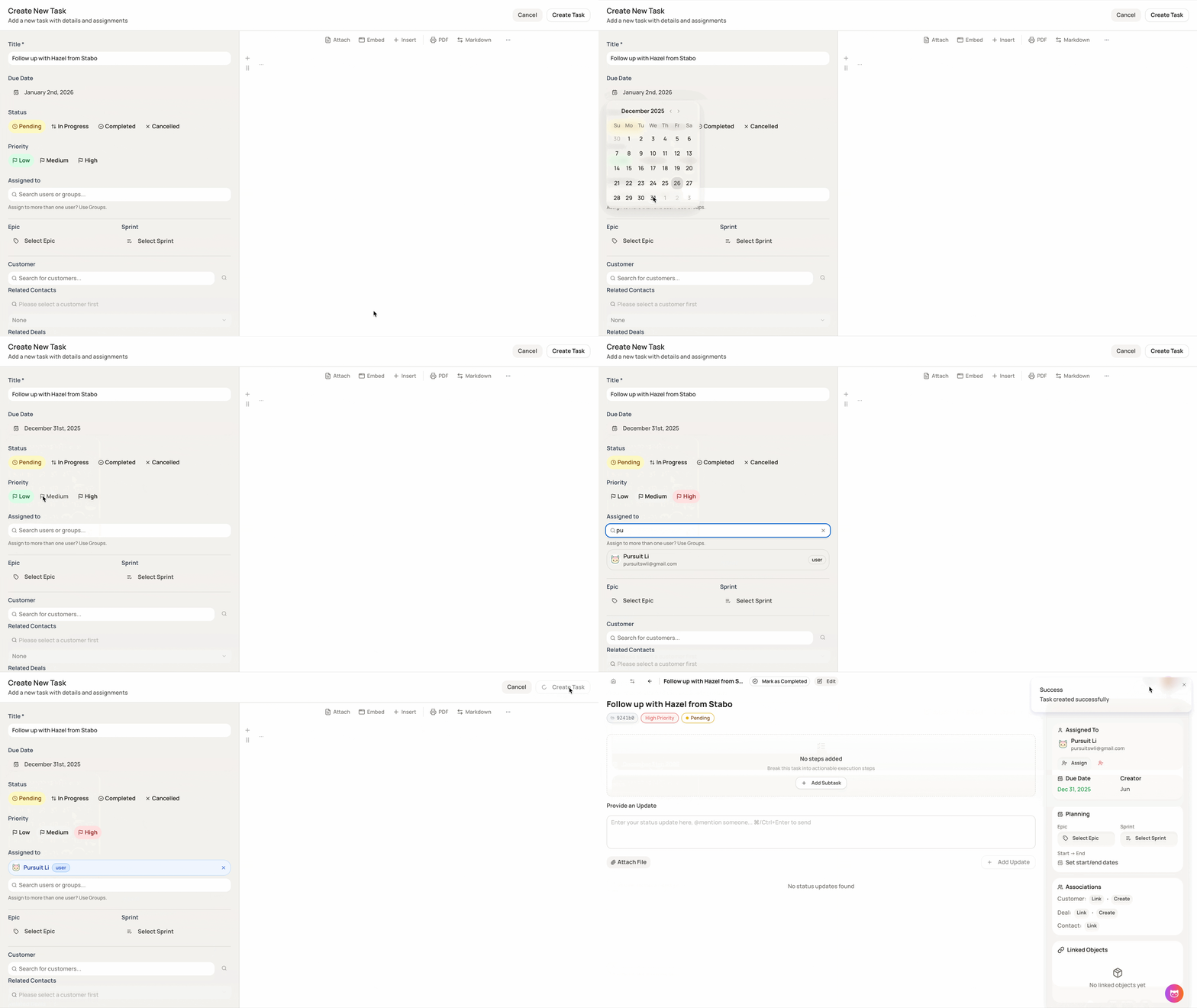
Fill in the task details:
-
Title
-
Due date
-
Status (task stage, can be updated anytime)
-
Priority
-
Assigned to (team member or group)
-
Epic and sprinted (if needed).
-
Associations (related contacts, customers, or deals)
-
Attachments (optional)
-
-
Add the task’s description (if needed).
-
Click Create Task.
Managing tasks
Once created, tasks can be:
-
Updated at any time
-
Reassigned to another team member or group
-
Marked as completed when finished
Tasks remain visible across related contacts, customers, and deals for better tracking.
-