
Manager Review Rights
Manager review requires manager or admin approval before a deal can be officially marked as won by any team member.
How it works
Once enabled, team members can move a deal to Won, but it will not be finalized until a manager confirms it. The team member is notified that confirmation is pending per organization’s settings.
Step 1: Enable Manager Review
-
Go to Settings
-
Select Deal Workflow
-
Enable Manager Review Required
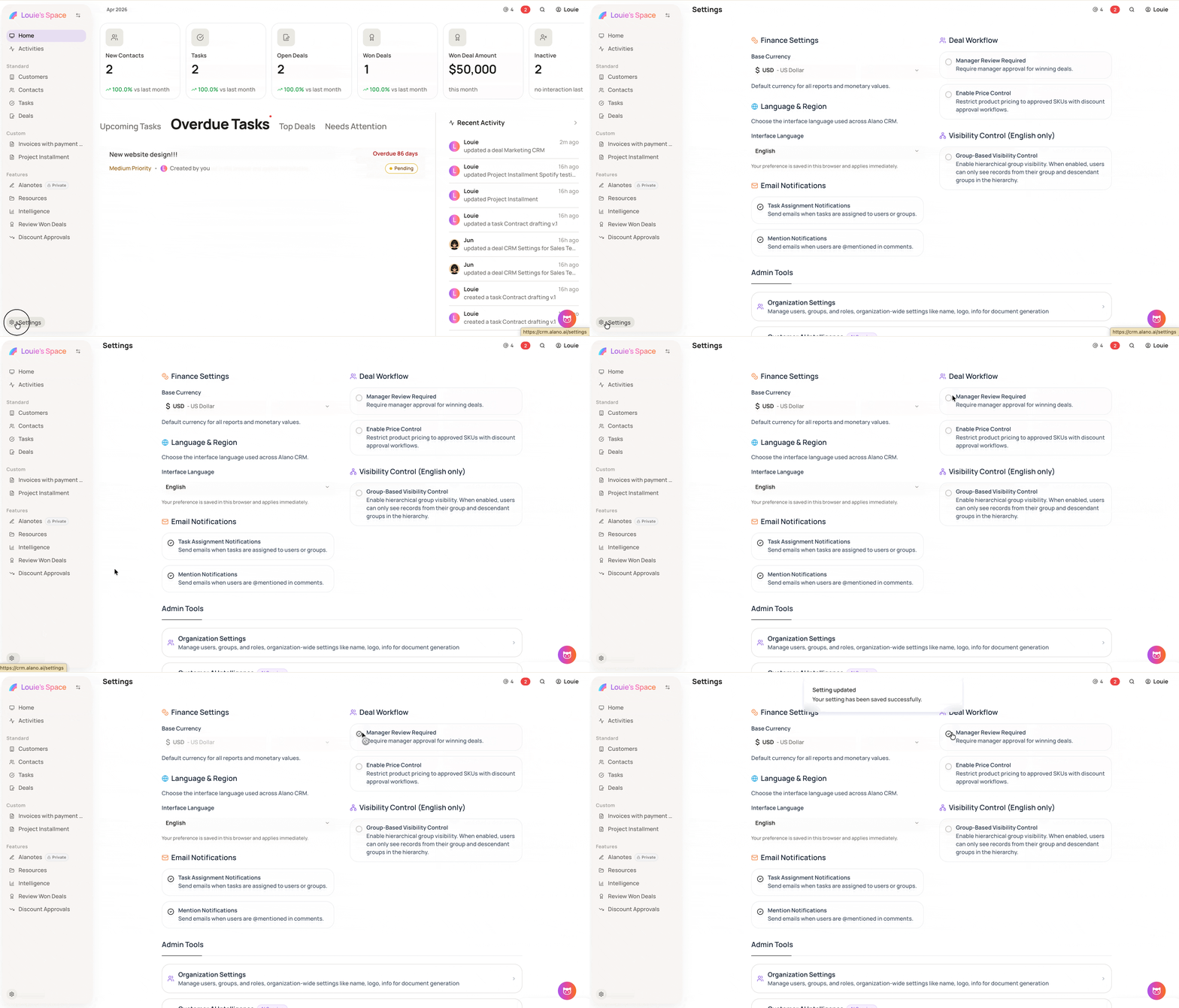
From your team member’s POV, it will look like this
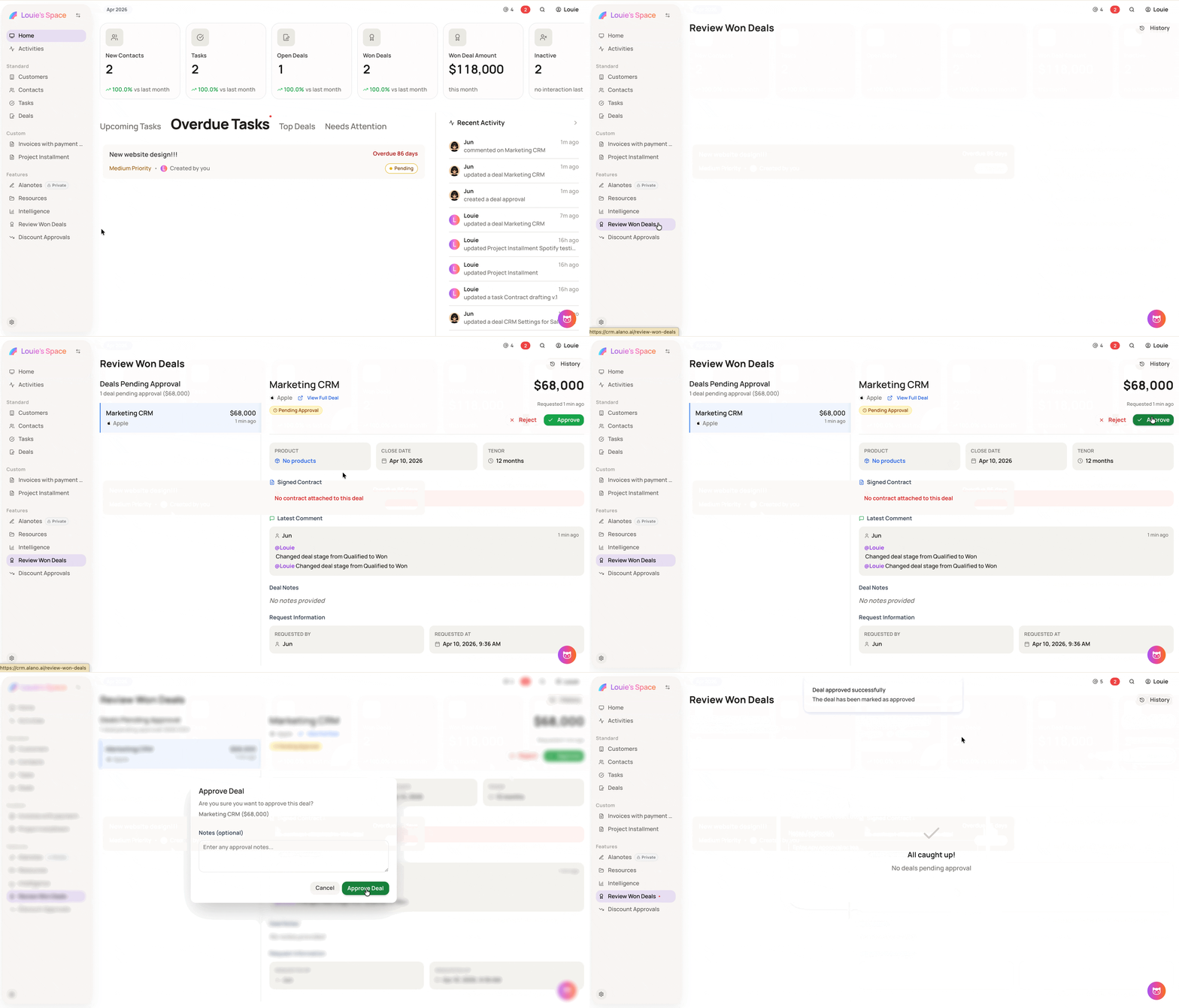
Step 2: Review pending Won deals
-
On the left sidebar, go to Features
-
Click Review Won Deals
-
Approve or reject deals pending confirmation
-
Only managers and admins can approve won deals when this setting is active
-
Team members will see a confirmation message after marking a deal as won, indicating that manager approval is required before it is finalized