
Multi language settings
Alano supports multiple display languages. You can update the interface to your preferred language at any time from your workspace settings.
On this page
How it works
Language settings are applied per user account. Changing your language does not affect other members in your workspace.
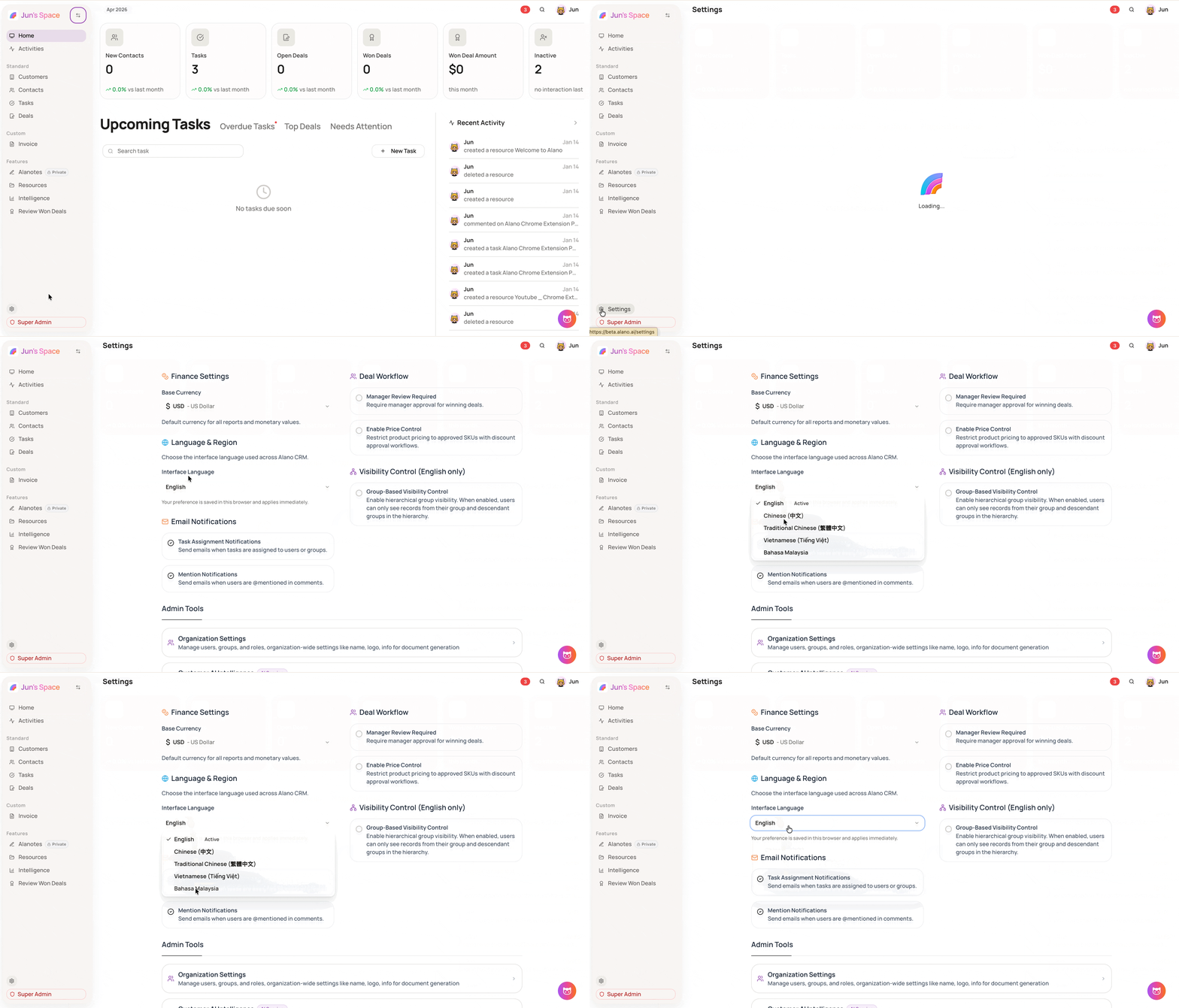
How to change your language
Step 1: Open Settings
- On the left sidebar, click Settings
Step 2: Update your language preference
-
Select Language & Region
-
Choose your preferred language and save
Notes
-
Language settings apply to your individual account and do not affect other users in the workspace
-
Once you sign up for Alano CRM, the system automatically syncs the display language to your device’s default language