
Visibility
Visibility settings let you control who can view and access a task within your organization.
By default, tasks are visible to everyone in the workspace, but you can restrict access when needed.
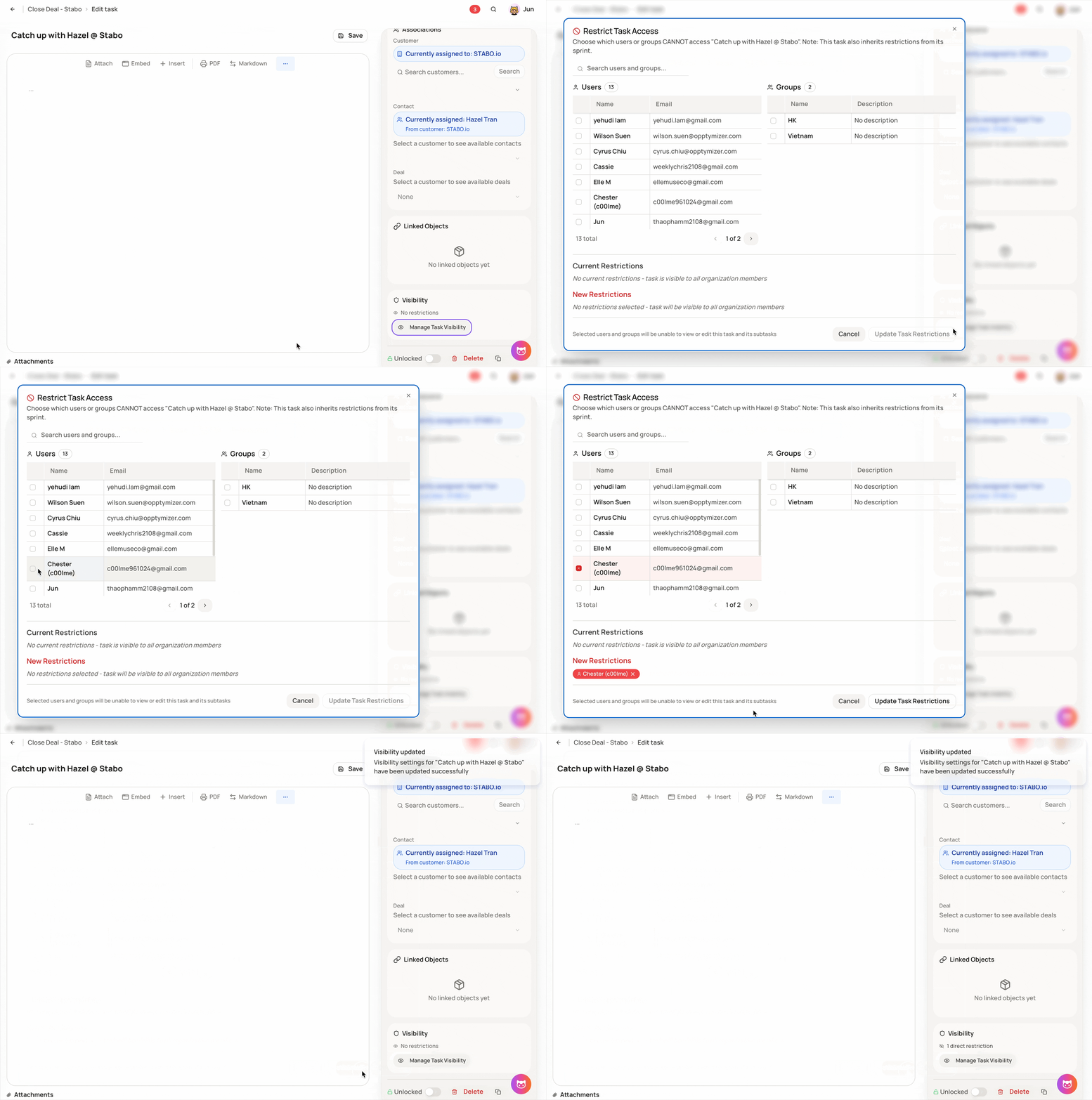
Step 1: Open a task
-
Go to Tasks
-
Open the task you want to manage
Step 2: Open Visibility settings
-
On the right-side panel, locate Visibility
-
Click Manage Task Visibility
Step 3: Set visibility rules
You can choose to:
-
Keep the task visible to everyone in the organization
-
Restrict visibility to specific team members or groups
Visibility settings are useful for managing sensitive tasks, internal-only work, or limiting access to specific stakeholders while keeping your workspace organized and secure.