
Sharing Notes to Deals, Customers, Contacts & Tasks
Alano lets you turn your notes into contextual comments or updates, so insights don’t live in silos and your team always stays aligned.
On this page
What this feature does
You can share an Alano note directly into:
-
Customers
-
Contacts
-
Deals
-
Tasks
as a comment or status update, keeping important context exactly where the work happens.
How to share a note to other records
-
Open the note you want to share.
-
Click “Share in” on the right side of the note.
-
Choose where you want to share it:
-
Customer
-
Contact
-
Deal
-
Task
-
-
The note will appear as a comment inside the selected record.
That’s it! No copying long text, no switching tabs.
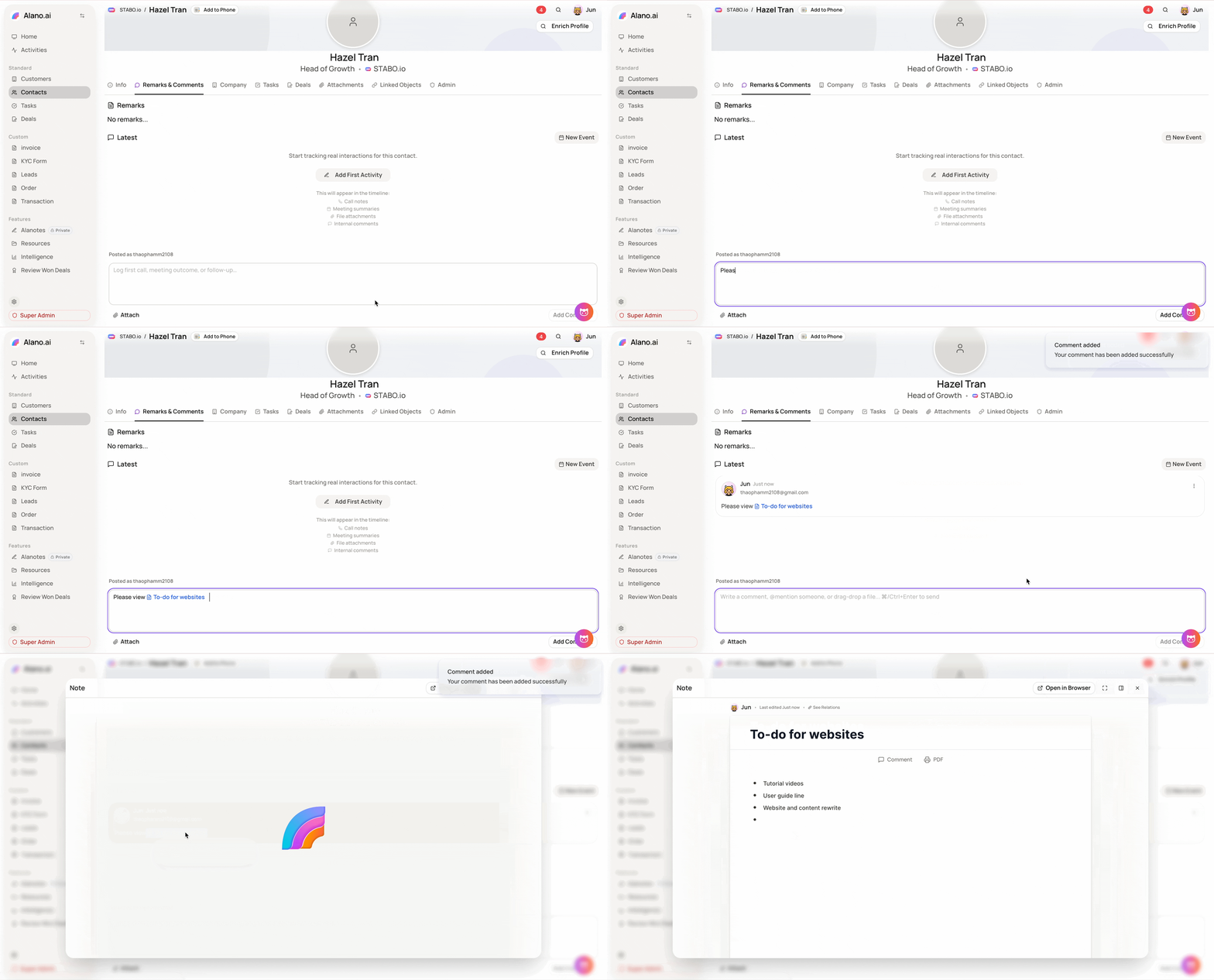
Using notes inside comments
You can also share notes via comments:
-
Copy the note link
-
Paste it into a comment field (e.g. in a deal or task)
-
The note stays accessible and linked for anyone with permission
This is perfect for:
-
Meeting summaries
-
Sales call notes
-
Internal handover updates
-
Context behind decisions
Why this is useful
-
Keeps conversations and notes connected
-
Reduces repeated explanations
-
Makes collaboration faster and clearer
-
Ensures nothing important gets lost
Combined with Shared Notes and visibility controls, you decide who sees what—and where.