
Create Resources
On this page
Resources is your team’s shared drive inside Alano — a simple place to store and access important files + links (pitch decks, onboarding docs, proposals, playbooks, SOPs…) right where you already manage customers and deals.
Resources — How to use
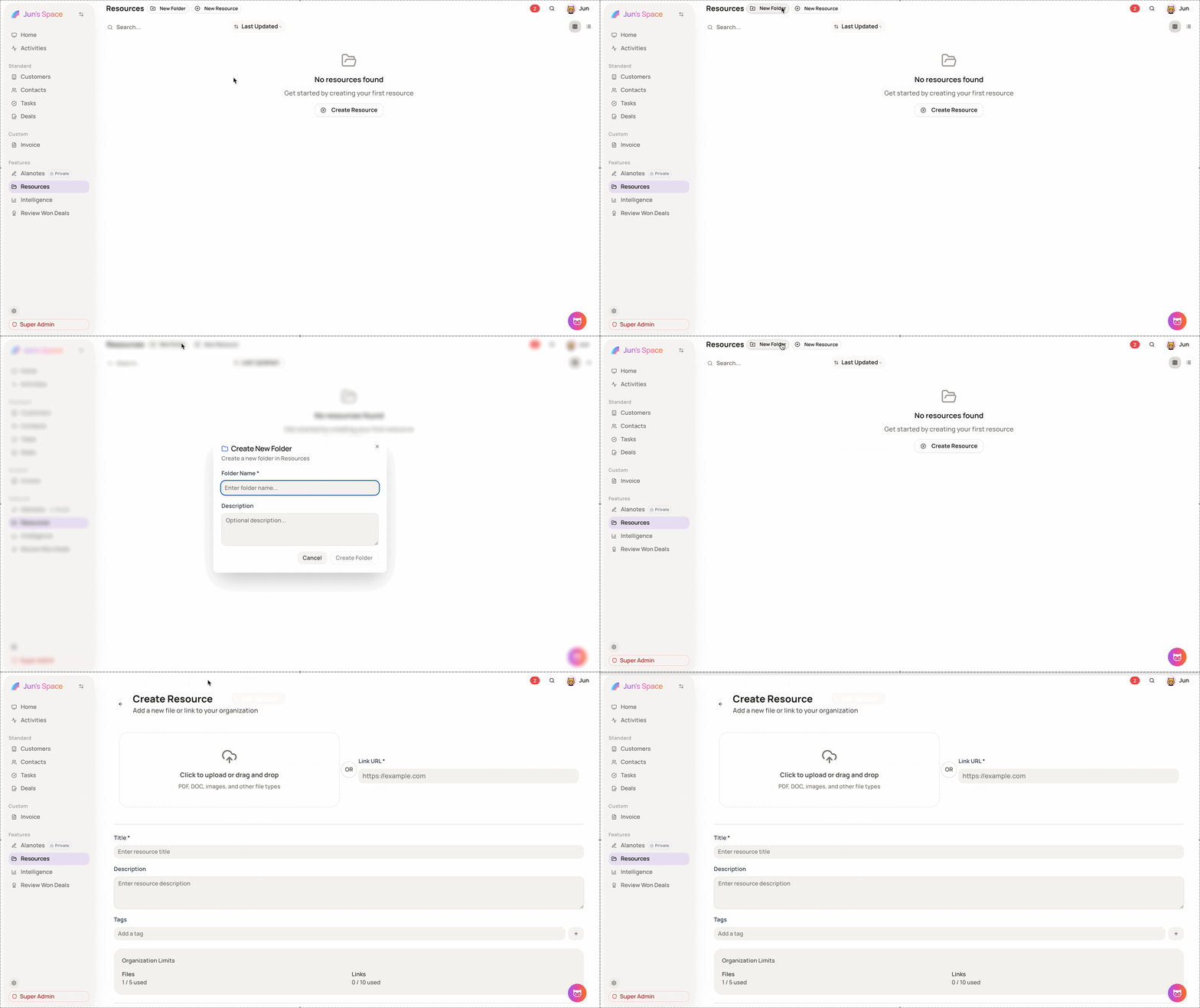
Create a folder (optional, but recommended)
Step 1: Go to Features → Resources
Step 2: Click New Folder
Step 3: Name your folder (e.g. Sales Decks / Onboarding / Product Docs)
Add a new resource (file or link)
Step 1: Go to Features → Resources
Step 2: Click New Resource (or Create Resource)
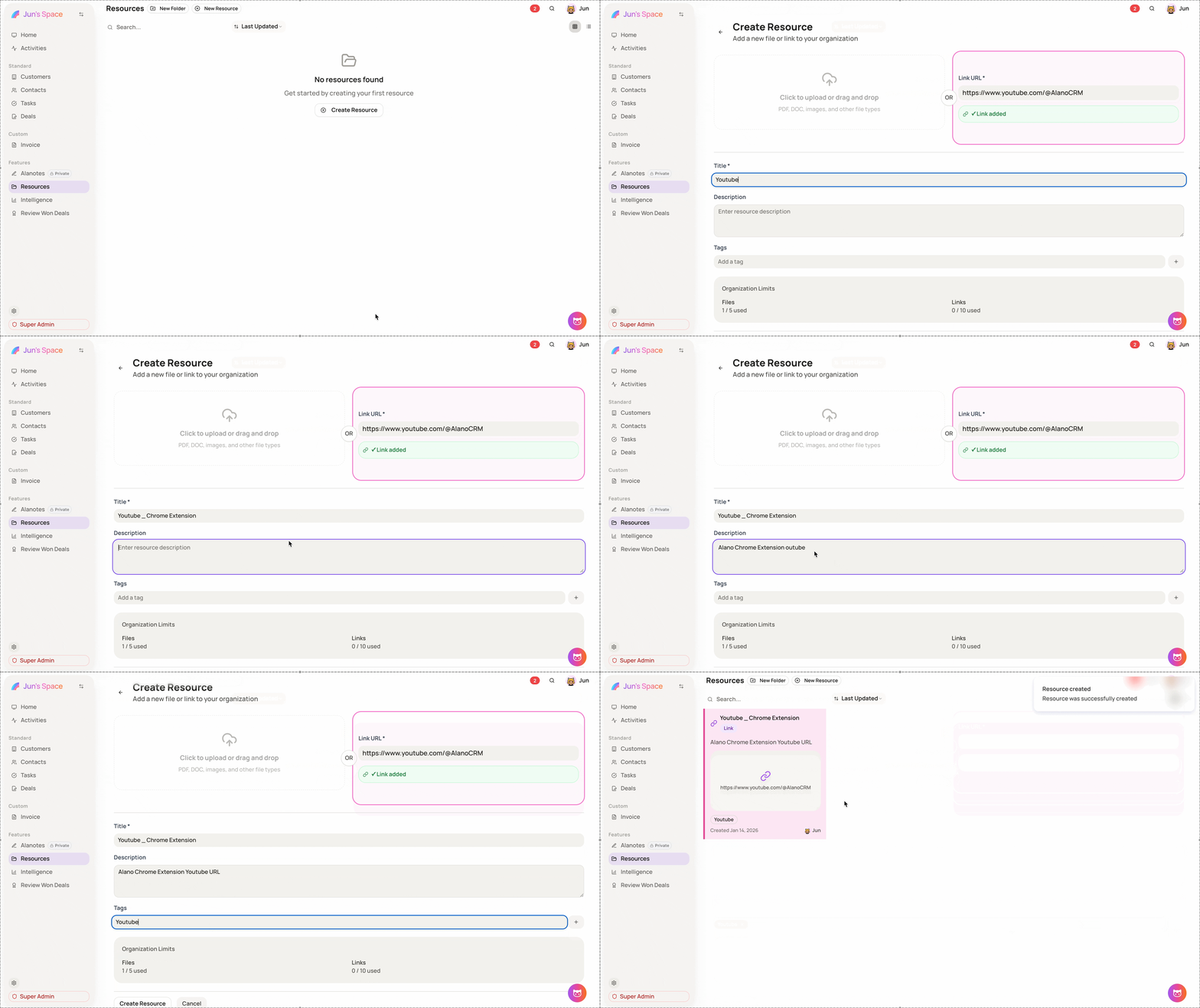
Step 3: Choose one:
-
Upload a file (PDF, DOC, images, etc.)
-
Paste a link (Google Drive, Notion, website URL, etc.)
Step 4: Fill in the required fields:
-
Title
-
Description
-
Tags
Step 5: Click Create / Save to publish it to your organization
Find resources later
Step 1: Use the Search bar to look up titles or keywords
Step 2: Use Tags to filter and keep things organized
Step 3: Sort by Last Updated to find the newest version fast
Use tags like
sales,marketing,product,legalso your team can find things in seconds.