
CRM Smart Linking
Keep your notes connected to real CRM records.
CRM Smart Linking lets you reference customers, contacts, deals, or tasks directly inside your notes. This keeps important context just one click away, no more switching tabs or losing track of where information lives.
How to use CRM Smart Linking
-
Open a Customer / Contact / Deal / Task profile in Alano
-
Copy the profile URL from your browser
-
Paste the link into your note
-
Alano automatically keeps the note connected to that CRM record
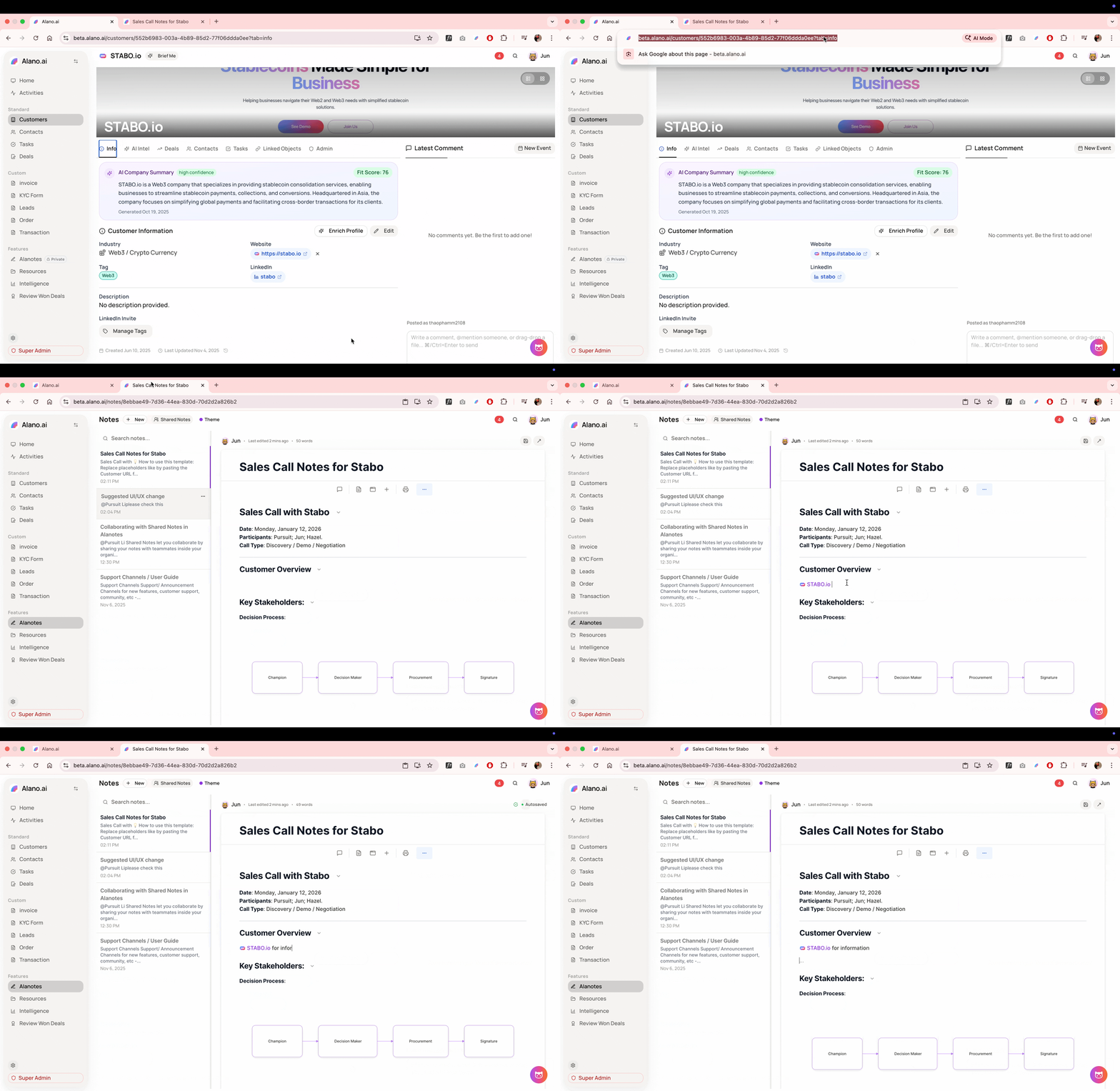
Linking Customer in Note
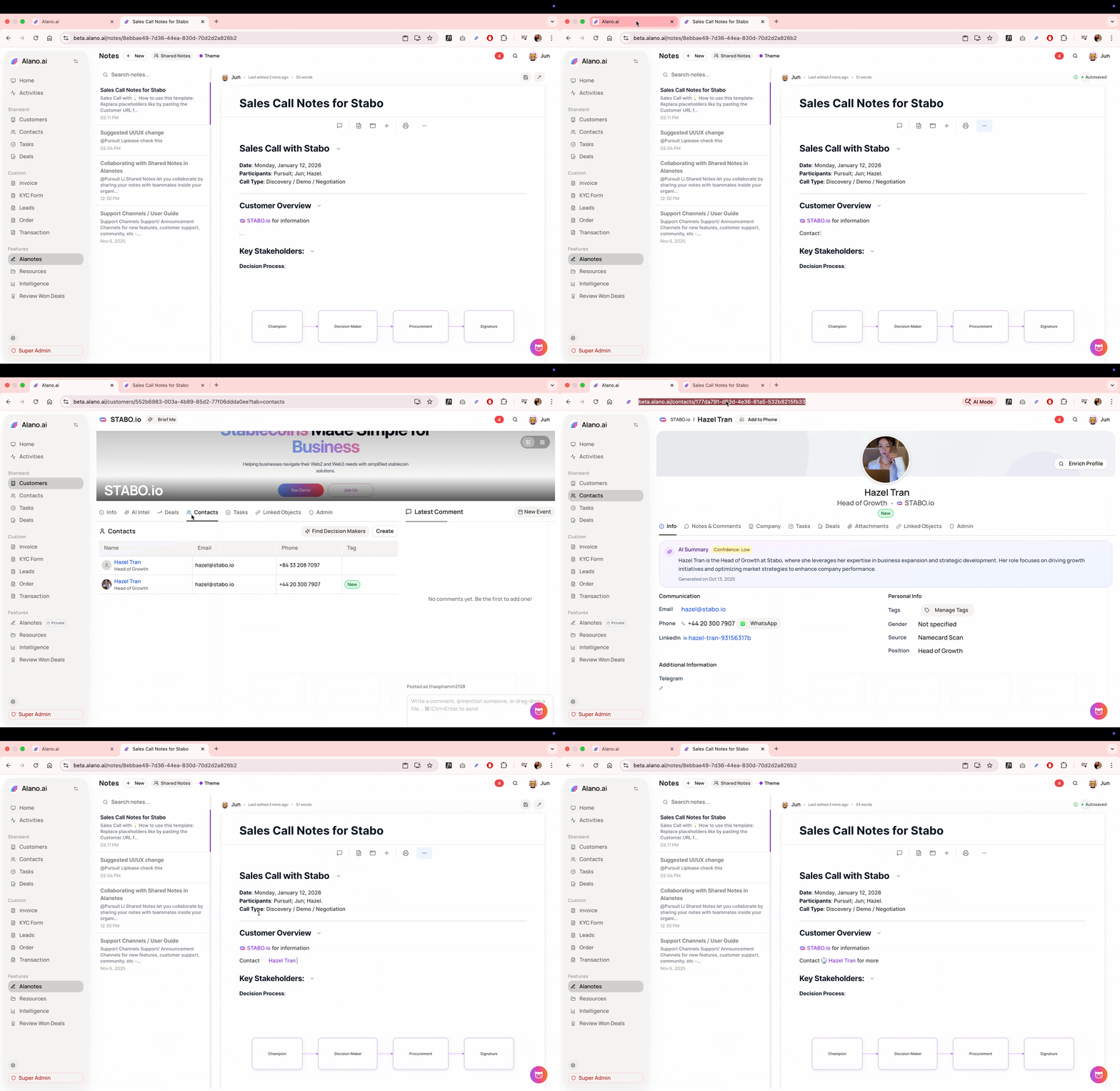
Linking Contact in Note
Why it’s useful
-
Keep meeting notes tied to the right customer
-
Link research, call summaries, or follow-ups to deals
-
Turn notes into a lightweight CRM memory layer
When sharing notes with your team, linked CRM records help everyone instantly understand the full context without extra explanation.