
Quick Notes Panel
Keep your notes close, even while working on other things.
On this page
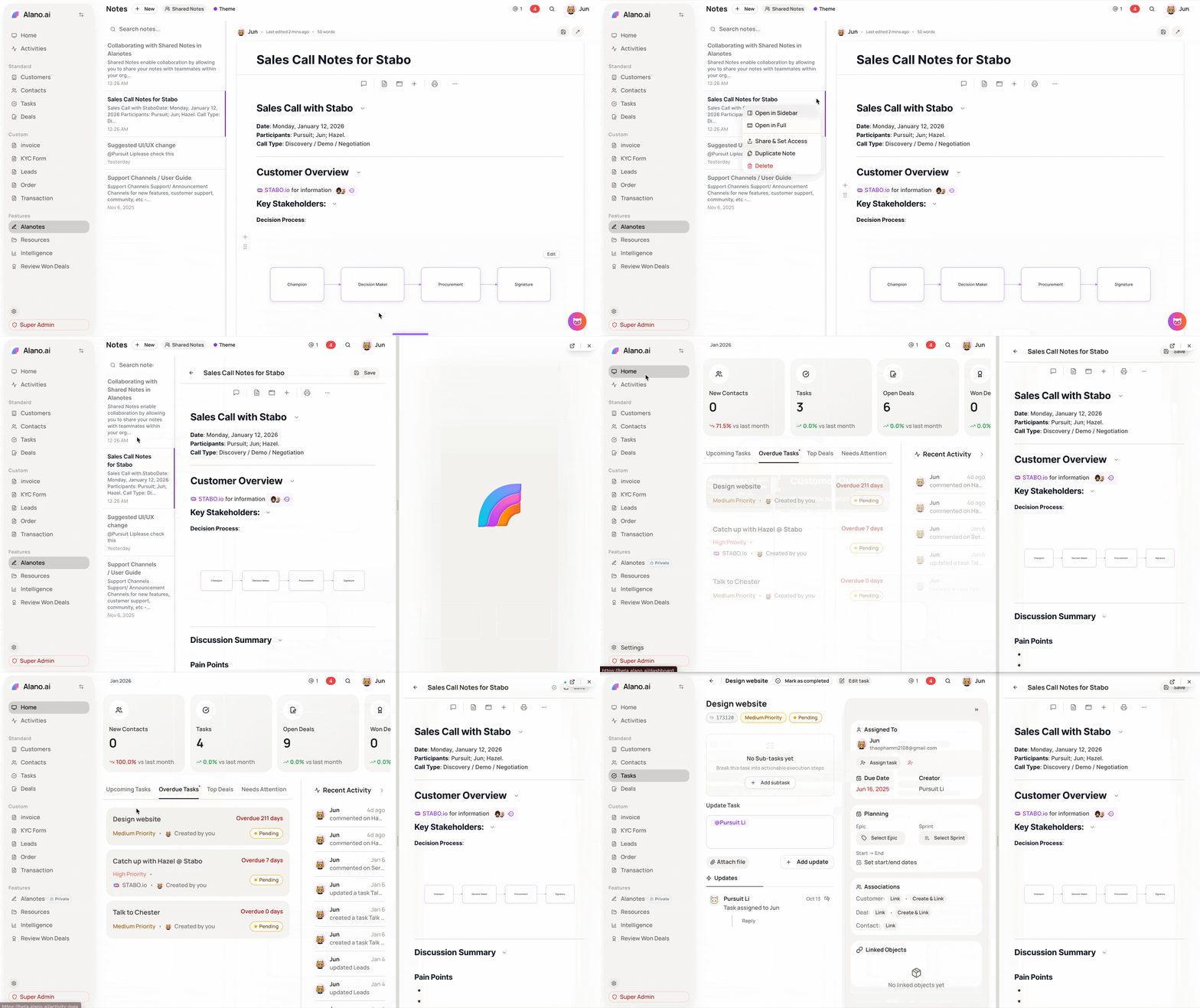
The Notes in Sidebar feature lets you pin a note to the side of your screen so you can keep referencing it while navigating through Customers, Deals, Tasks, or any other feature in Alano.
How to use it
-
Open the note you want to keep handy
-
Click the
…(More options) on the right side of the note -
Select Open in sidebar
-
Your note will stay visible in the sidebar while you continue working elsewhere
Why it’s useful
-
Review call notes while updating a deal
-
Keep a checklist open during task execution
-
Reference strategy or meeting notes without switching tabs
You can close the sidebar anytime and reopen another note when needed — perfect for multitasking without losing context.