
Associations
Associations allow you to link a task with related records such as deals, contacts, or other relevant objects, so all work stays connected in one place.
Step 1: Open a task
-
Go to Tasks
-
Select the task you want to update
Step 2: Open Associations
- On the right-side panel, select Associations
Step 3: Link related records
From the Associations panel, you can:
-
Link the task to an existing deal, or create a new one
-
Link the task to a contact
-
Select Linked Objects to attach related items such as invoices, contracts, payslips, or other documents
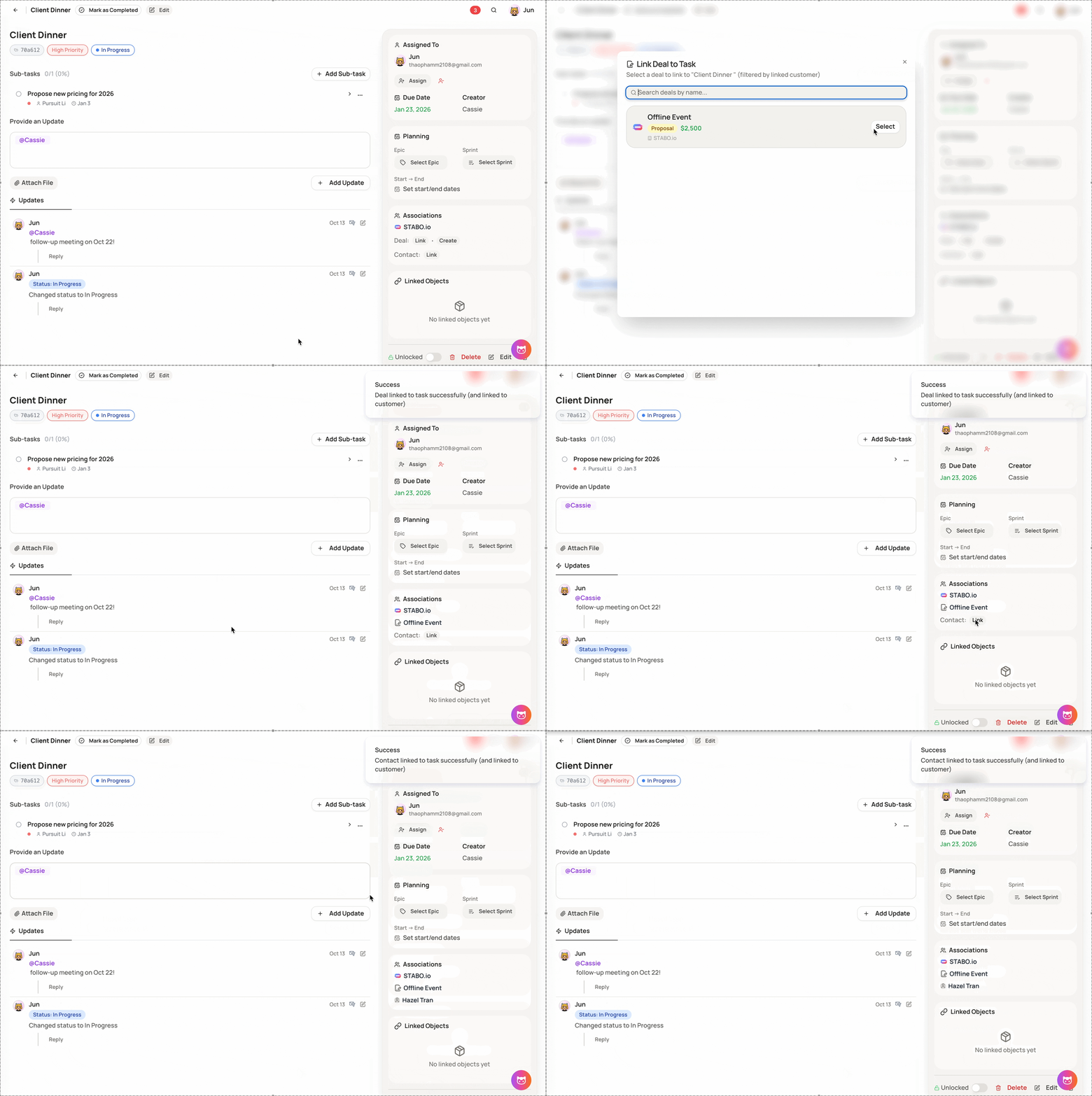
Associations help you keep tasks context-aware by connecting them to the right deals, contacts, and documents, making follow-ups and collaboration easier.