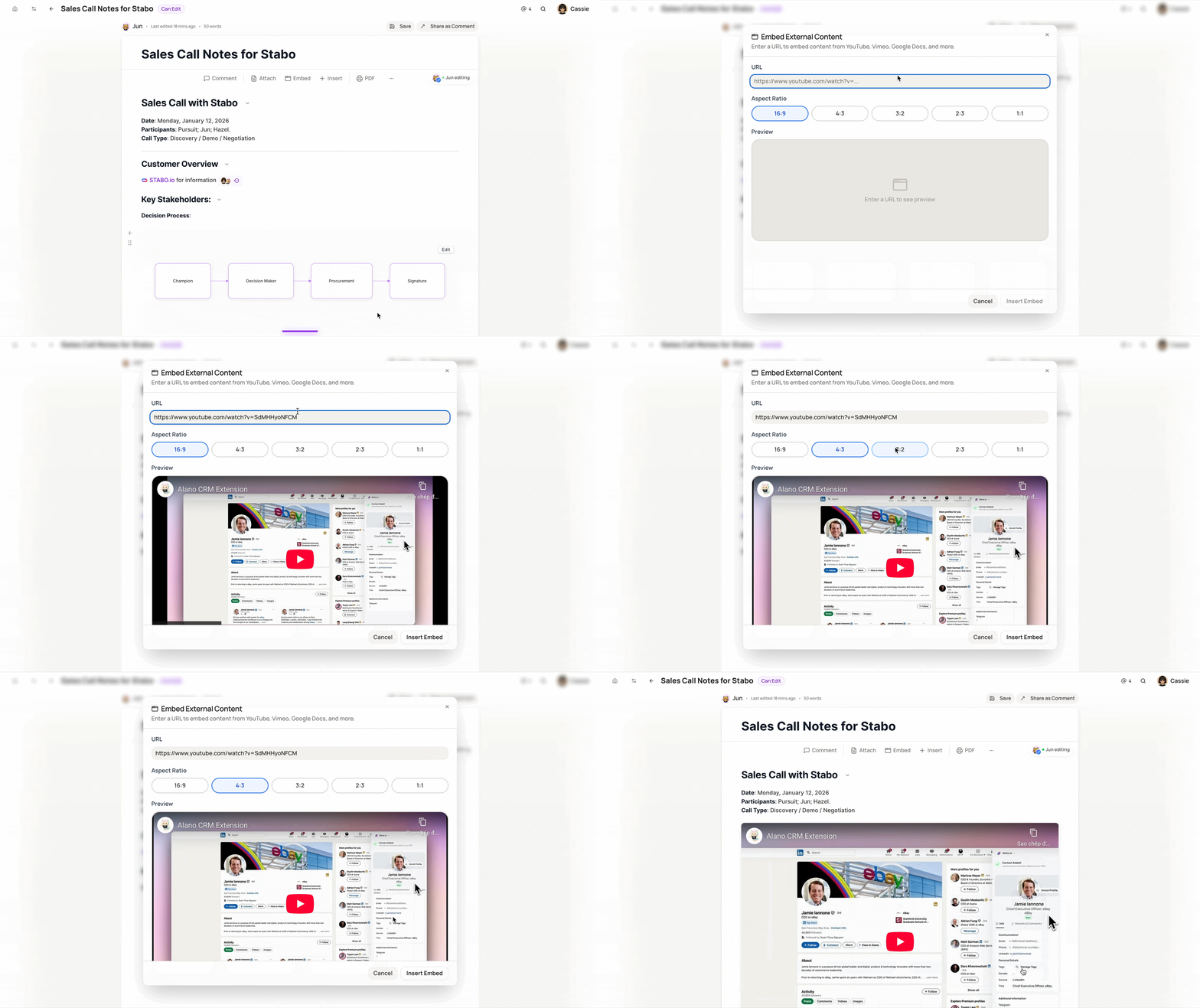
Embed Window
Embed external content into your notes so everything stays in one place: videos, docs, or references, right where you need them.
On this page
How to use:
-
Open the note you want to edit
-
Click the Embed icon on the top toolbar
-
Paste a URL (YouTube, Vimeo, Google Docs, etc.)
-
Choose your preferred aspect ratio and preview
-
Click Insert Embed to add it to your note
Your embedded content will appear directly inside the note, making it easy to review and share without leaving Alano.