
Tax
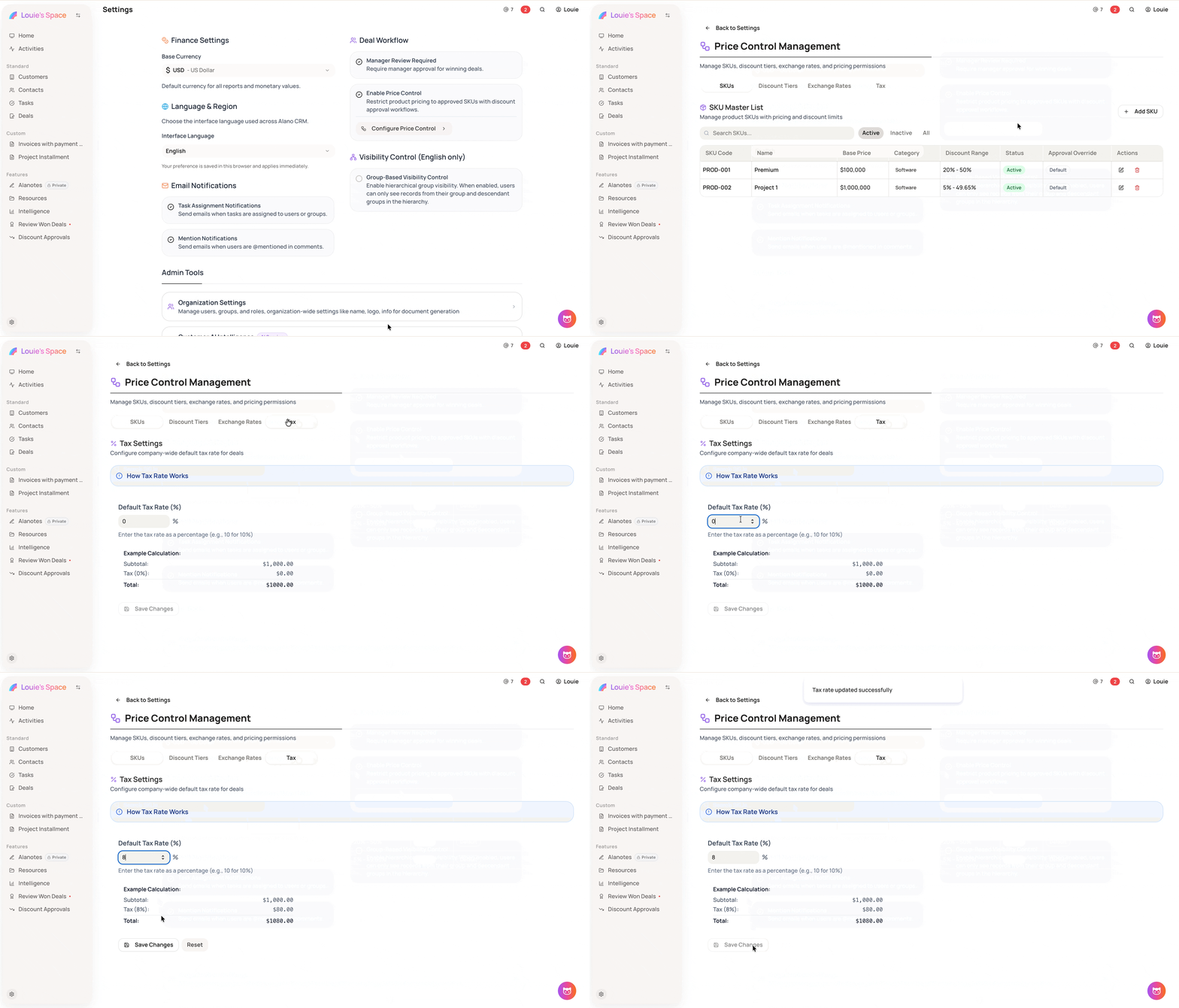
Tax Settings lets you configure the company-wide default tax rate applied to all deals in your price-controlled pricing.
On this page
How it works
The tax rate is calculated as: Subtotal × (Tax Rate / 100) and appears automatically in quotes, invoices, and order forms. Sales reps can override this rate for specific deals if needed.
How to set your tax rate
-
Go to Settings
-
Enable Price Control and click Configure Price Control
-
Open the Tax tab
-
Enter your company tax rate as a percentage (e.g., 10 for 10%)
-
Click Save Changes
Notes
-
This is the default rate applied to all deals — individual deals can be overridden by sales reps if needed
-
The tax rate is displayed in all generated quotes, invoices, and order forms