AI Document Generation
AI Document Generation creates Quotes, Orders, Invoices, and other business documents directly from an existing Deal.
On this page
Instead of creating documents manually, Alano uses the information already stored in the Deal - including products, quantities, pricing, currency, discounts, tax, and company details - to generate a professionally formatted document. The generated document reflects the Deal’s approved financial information rather than producing a free-text summary.
If Price Control is enabled, document generation automatically follows the same pricing rules configured for the Deal, ensuring prices, discounts, currency, and tax remain consistent.
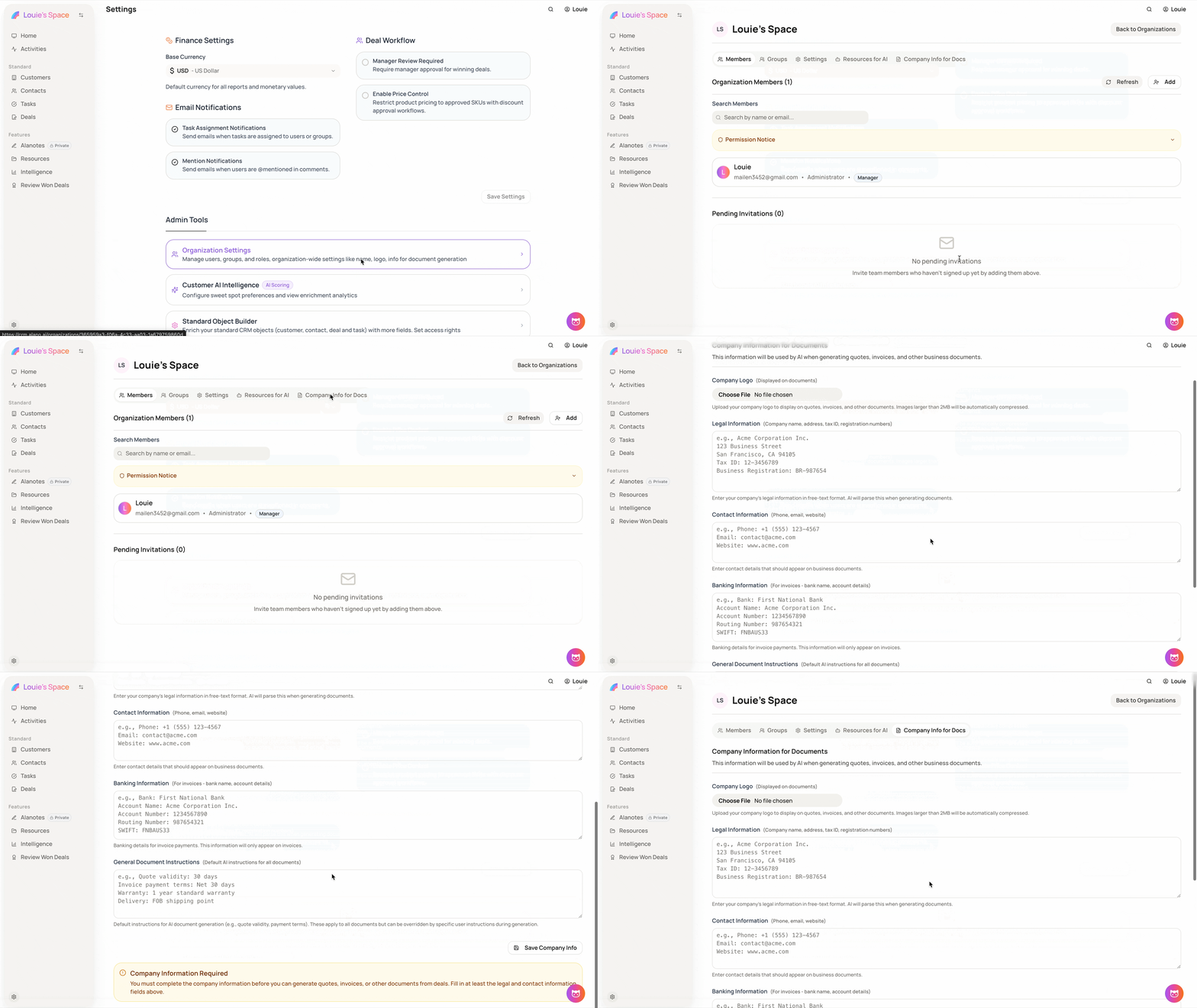
Prerequisite: Before generating documents, configure your organization’s legal and contact information under Settings → Organization Settings → Company Info for Docs. Document generation requires this information.
Document Types
Choose one of the following when generating a document:
-
Quote - Sales quote or proposal
-
Order - Purchase or sales order
-
Invoice - Invoice for payment
-
Other - A custom document based on your instructions
How it Works
-
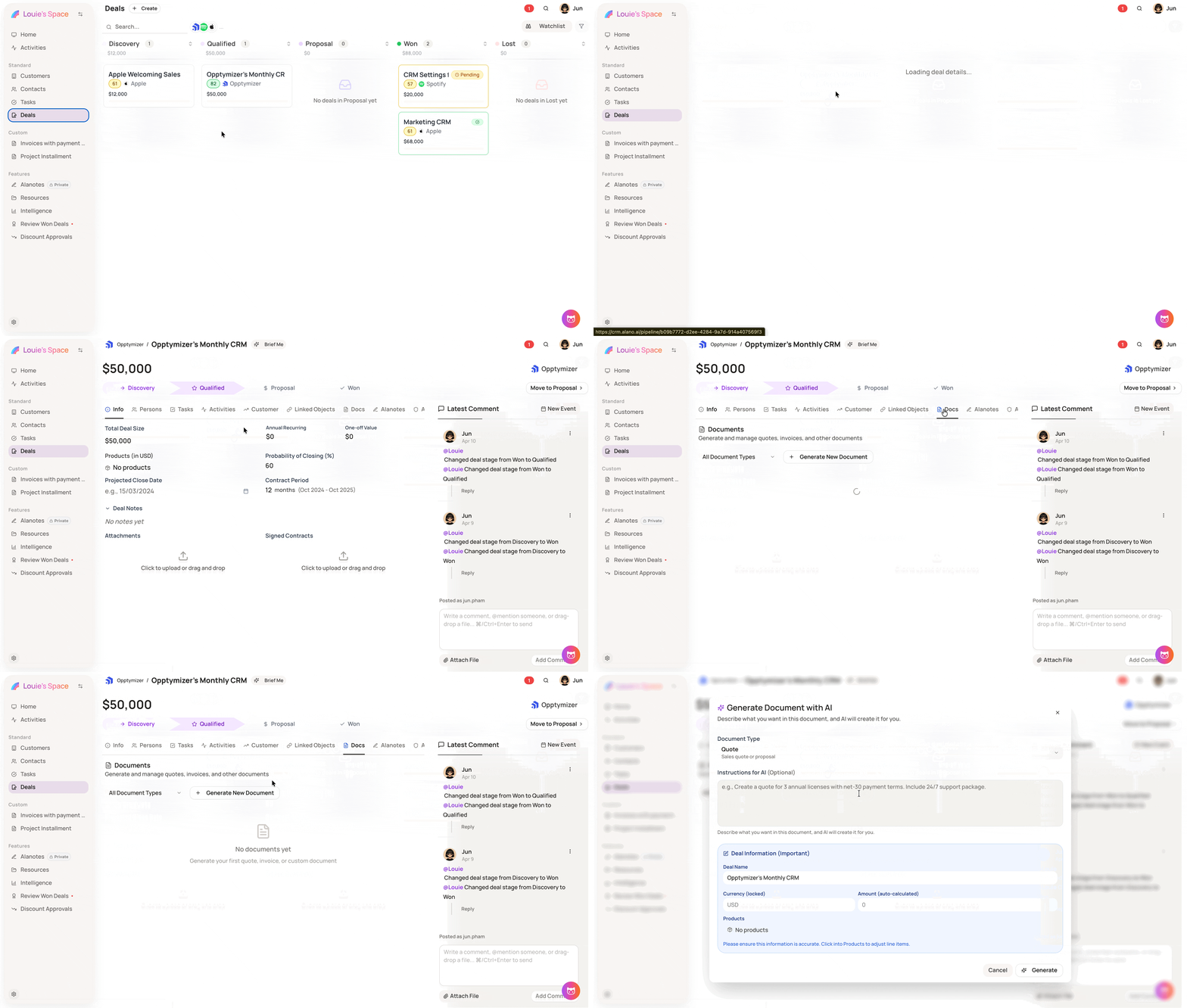
Open a Deal.
-
Select Generate Document.
-
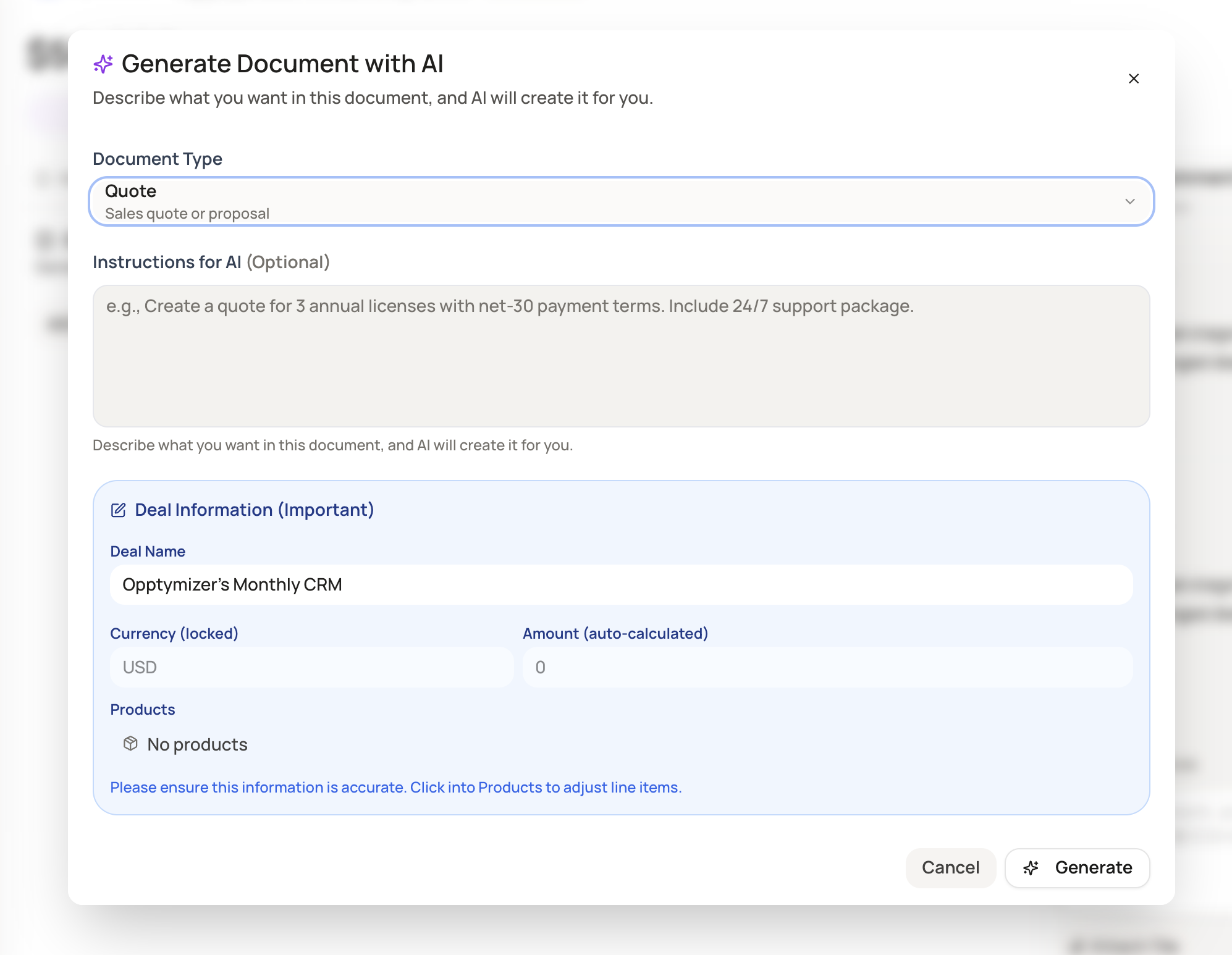
Choose a document type.
-
(Optional) Enter additional instructions for the AI, such as payment terms, support packages, or other details not stored in the Deal.
-
Review the Deal Information section, including the deal name, currency, amount, and selected products. You can open Products to review or adjust the included line items.
-
Select Generate. The AI generates the document using the Deal’s information.
-
Review the generated document. If changes are needed, use Tweak to regenerate the content, update the document number if required, then Save or Discard the document.
Products and Price Control
Documents are generated directly from the Deal’s product line items, including each product’s quantity, unit price, and line total.
When Price Control is enabled:
-
Approved SKU pricing is applied automatically.
-
Discount limits follow the configured SKU or Discount Tier rules.
-
Currency uses the Deal’s currency and configured exchange rates.
-
Tax is calculated using the default tax rate.
-
Price-controlled products are identified with a Price Controlled badge.
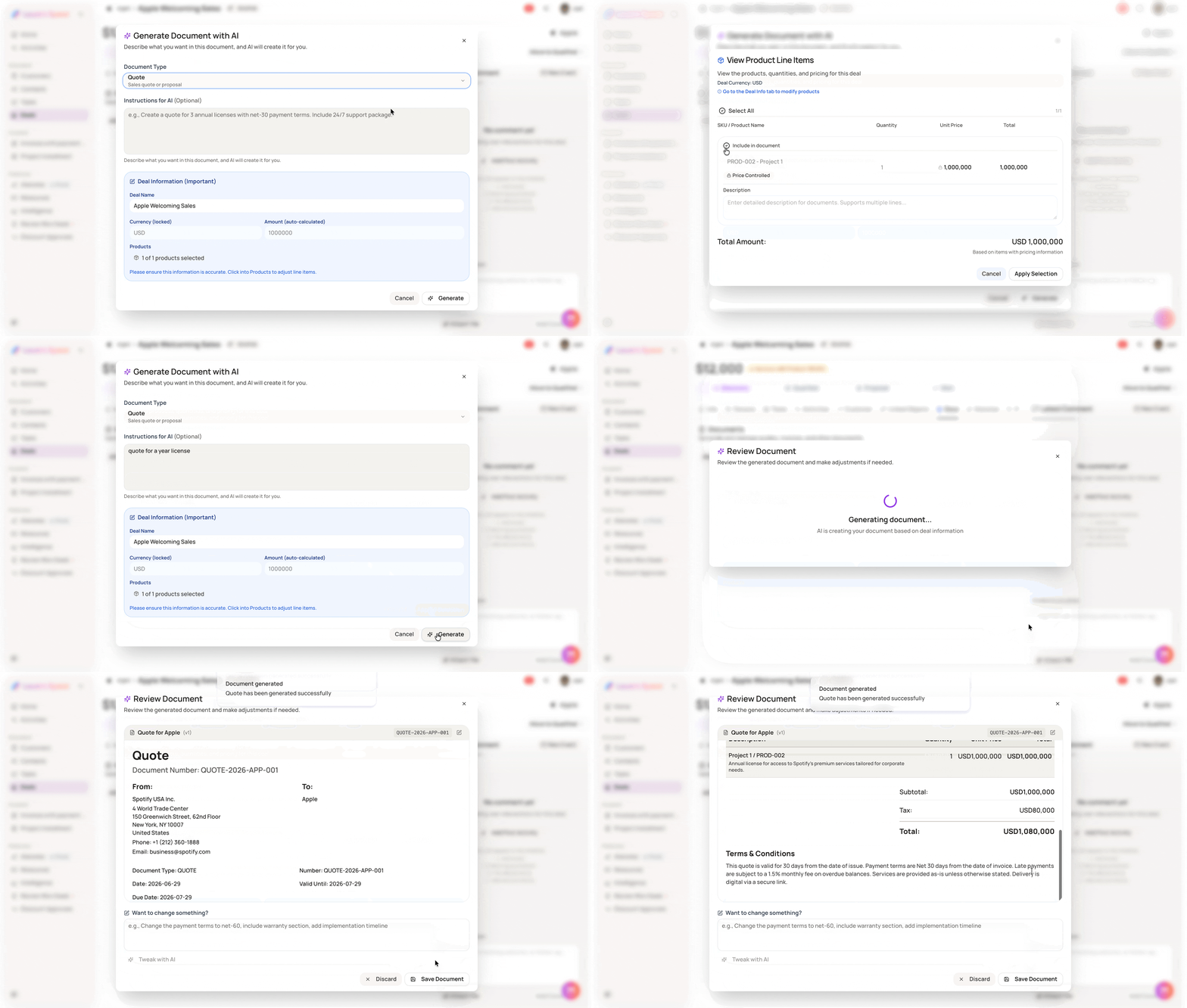
As a result, generated Quotes, Orders, and Invoices always match the approved financial figures in the Deal. To change pricing, discounts, currency, or tax, update the Deal’s Price Control configuration rather than editing the generated document.
- To change pricing or discounts, edit the Deal’s products or submit a Price Adjust request. Administrators manage SKU pricing, discount tiers, exchange rates, and tax under Price Control settings.
Related settings
Price Control settings used during document generation are managed here:
-
SKUs - Base prices and SKU discount ranges
-
Discount Tiers - Approval groups and discount limits
-
Exchange Rates - Currency conversion rates
-
Tax - Default tax rate
Company information settings
Company details used in documents (such as billing entity and address) can be updated at:
Settings → Organization Settings → Company Info for Docs